

BYOD security for small business — and more broadly for all small and medium-sized businesses — is one of those problems that sounds manageable until you look at it closely. Your employees use their personal phones, tablets, and laptops to access company email, shared files, and internal applications. It is convenient, it saves the cost of company-issued devices, and it is essentially impossible to stop. According to Verizon, over 95% of organizations now allow personal devices for work in some form.
The security problem is straightforward: you do not control those devices. You do not know what other apps are installed on them, whether they are running the latest OS updates, or whether the employee’s home network is secure. Every personal device that connects to your company network is a potential entry point you did not design and cannot fully manage.
The standard enterprise answer to this is Mobile Device Management — MDM. Enroll every device, enforce security policies remotely, containerize work applications, enable remote wipe. It is a comprehensive approach. It is also expensive, operationally demanding, and frequently resisted by employees who do not want their employer managing their personal phone.
For most small and medium-sized businesses without a dedicated IT team, MDM is out of reach. This guide covers what you can do instead — specifically, what network-level security provides for BYOD environments, what it genuinely covers, and where its limits are.
Why BYOD Security for Small Business Is Different From Enterprise
Enterprise BYOD security frameworks assume resources that most small and medium-sized businesses do not have: an IT department to manage enrollments, a budget for MDM licensing, legal capacity to draft and enforce acceptable use policies, and the organizational authority to mandate device compliance as a condition of employment.
Small and medium-sized businesses operate differently. The ten-person startup where three employees use personal MacBooks and everyone checks email on their phones does not have an IT manager. The twenty-person professional services firm where staff connect from home on personal laptops cannot realistically enforce device-level compliance across a diverse mix of hardware and OS versions. Requiring employees to enroll their personal device in a management system is a conversation that frequently ends in friction — and sometimes in an employee simply not enrolling, leaving you with a false sense of security.
The practical starting point for BYOD security for small business is not the device. It is the network — what can be enforced at the network boundary, independently of what is installed on any individual device, and without requiring the MDM infrastructure that only large enterprises can realistically deploy.
What Network-Level BYOD Security Covers
A network security appliance sitting at your internet gateway applies security controls to every device that connects to your network — personal or company-owned, managed or unmanaged — without requiring any software on those devices. Here is what that covers in a BYOD context.
Zone isolation: separating BYOD devices from company assets
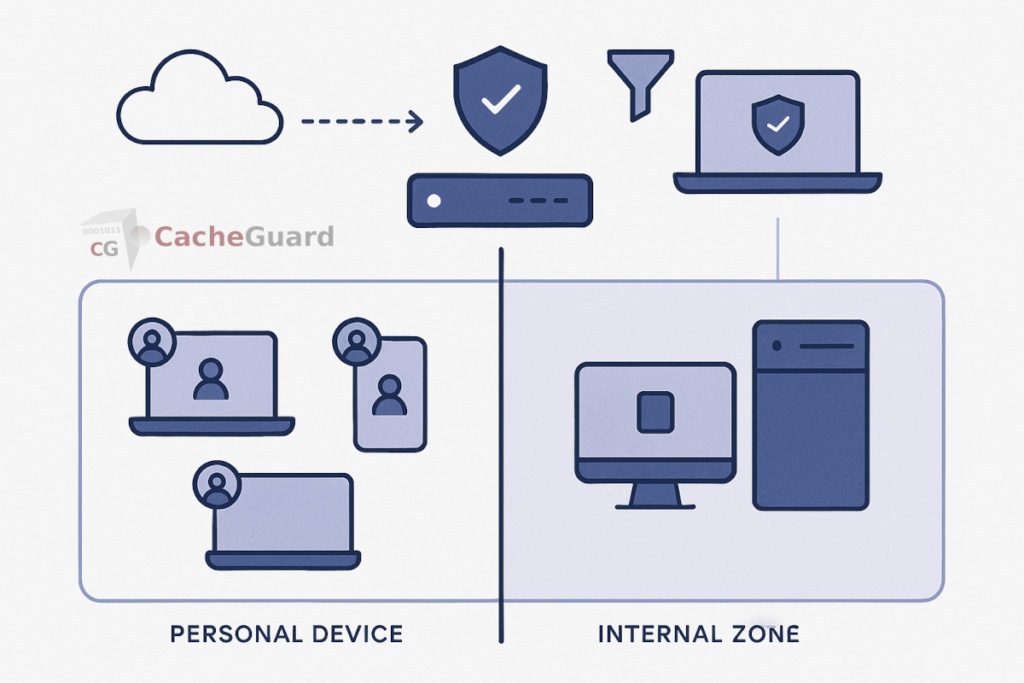
The most important network-level control for BYOD is isolation. Personal devices should not be on the same network segment as your servers, file shares, and sensitive internal resources. If a personal device is compromised — by malware the employee unknowingly installed, by a malicious app, or by a phishing attack that stole credentials — an attacker on that device should not have direct network access to your company data.
A network security appliance with zone-based architecture places BYOD devices in a dedicated zone, separated from the internal company network by explicit firewall rules. BYOD devices can reach the internet. They can reach company resources you specifically permit — a web-based application, a VPN endpoint, a cloud file service. They cannot reach the file server, the accounting system, or any internal resource that has not been explicitly allowed. This isolation is enforced at the network level, regardless of what the device itself does.
URL filtering: the same web policies for every device
When employees use personal devices on your network, they browse the web using whatever browser and DNS settings their device happens to have. Without network-level filtering, your acceptable use policy is purely theoretical — you have no technical means to enforce it.
A web proxy at the gateway applies URL filtering to every device on the network simultaneously. Access to malicious sites, phishing domains, and inappropriate content categories is blocked before the request reaches any device — regardless of which browser, which DNS resolver, or which application made the request. You configure the policy once; it applies to every connected device automatically.
Gateway antivirus: scanning traffic before it reaches personal devices
Personal devices may or may not be running up-to-date antivirus software. You cannot verify this on an unmanaged device, and you cannot enforce it without MDM. What you can do is scan web traffic at the gateway before it reaches any device on your network.
A gateway antivirus engine intercepts HTTP and HTTPS content as it passes through the proxy and scans it for malware before delivery. A drive-by download, a malicious email attachment accessed via webmail, a compromised software update — these are caught at the network level before they arrive on any device, managed or personal. This layer operates independently of whatever endpoint security — if any — is running on each personal device.
Traffic visibility: knowing what BYOD devices are doing
One of the significant risks of unmanaged personal devices on your network is lack of visibility. You do not know what those devices are connecting to, what data they are sending, or whether any of them are exhibiting unusual behavior.
A network security appliance logs traffic flows from every connected device. Unusual traffic patterns — a device making large outbound data transfers, connecting to unexpected destinations, or generating error logs that suggest a compromise — are visible at the gateway even when the device itself provides no insight. For a small and medium-sized business without endpoint monitoring tools, network-level logging is often the only visibility available into BYOD device behavior.
What Network-Level Security Does Not Cover
Honest BYOD security guidance requires being clear about what network-level controls cannot do. These are real limitations.
- Remote wipe. If an employee’s personal device is lost or stolen and contains company data, you cannot remotely wipe it without MDM enrollment. This is a genuine gap for organizations handling sensitive data.
- App containerization. Network controls cannot separate work applications from personal applications on the device itself. A personal device where work email and personal social media apps share the same storage remains vulnerable to data leakage between apps.
- Device encryption enforcement. You cannot verify or enforce that a personal device uses full-disk encryption without MDM. If an unencrypted device is lost, the data on it is potentially accessible.
- OS update compliance. A personal device running an outdated OS with known vulnerabilities cannot be patched or updated from the network level.
- Off-network behavior. When an employee’s personal device is on a different network — their home WiFi, a coffee shop, mobile data — your network-level controls do not apply. A VPN can extend some protection, but it requires the employee to keep the VPN active.
These limitations are the genuine case for MDM in organizations that can implement it. For organizations that cannot, understanding the gaps is important for making honest decisions about which company data personal devices should and should not access.
The Practical Combination: Network Layer Plus Basic Device Policies
For small and medium-sized businesses, the most realistic BYOD security posture combines network-level controls with a small set of device-level requirements that do not require MDM to enforce.
At the network level, zone isolation, URL filtering, and gateway antivirus provide a meaningful baseline of protection for every device that connects, without requiring enrollment, software installation, or employee cooperation beyond connecting to the right WiFi network.
At the device level, a simple written policy — screen lock enabled, OS updates applied, no jailbreaking or rooting — sets basic expectations. These cannot be technically enforced without MDM, but they create a documented standard and shift responsibility appropriately. Combined with limiting what sensitive systems personal devices can reach at the network level, the residual risk from non-compliance is significantly reduced.
The NIST guidelines on mobile device security recommend exactly this layered approach — organizational policy combined with technical controls — as the realistic framework for organizations that do not have full MDM deployment.
This is what realistic BYOD security for small business looks like in practice — not a perfect system, but a meaningful and achievable one that most small and medium-sized businesses can implement without a dedicated IT department.
Implementing BYOD Security for Small Business at the Network Level
The network-level controls described in this guide form the practical foundation of BYOD security for small business — zone isolation, URL filtering, gateway antivirus, and traffic logging applied at the internet gateway, without requiring any software on any personal device. This approach is realistic for small and medium-sized businesses of any size, whether they have an IT team or not.
CacheGuard is a free, open-source network security appliance built on Linux that provides all of these capabilities in a single integrated package. It implements zone-based network isolation, a web proxy with URL filtering, a gateway antivirus engine, an integrated stateful firewall, and a complete UTM feature set including IPsec VPN with IKEv2 based on StrongSwan for extending network policies to remote devices. BYOD devices are placed in an isolated zone; company assets remain in a separate internal zone; traffic between them is controlled by explicit rules you define.
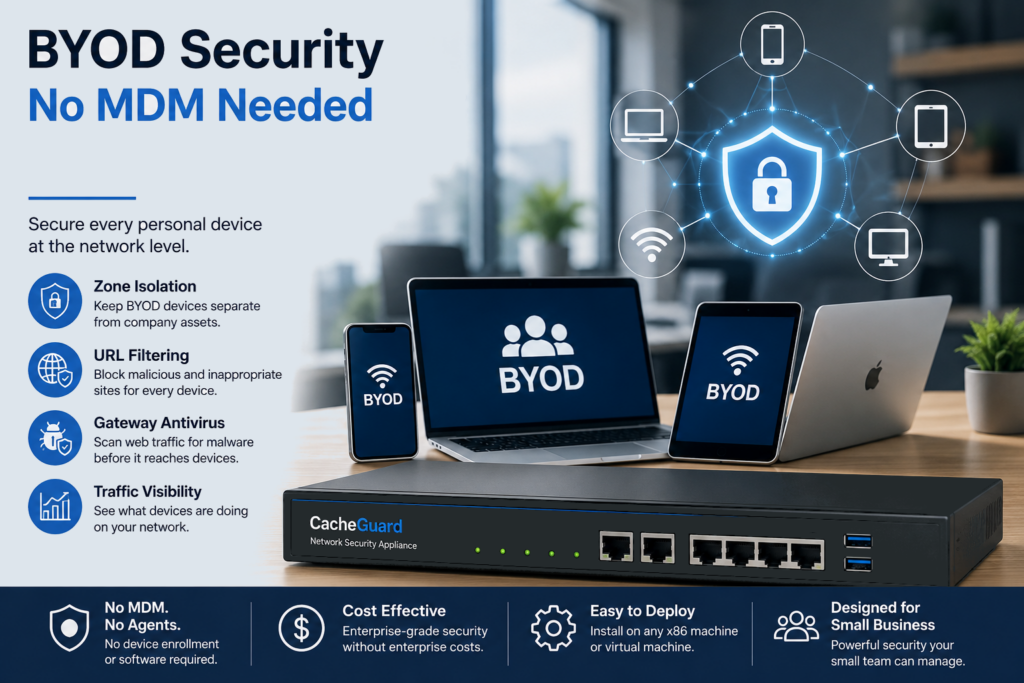
CacheGuard installs on any standard x86 machine or virtual machine and is configured through a browser-based web interface. It requires no per-device software installation, no enrollment process, and no ongoing per-device management. You can download CacheGuard for free from the official website.
For a broader look at how network-level security interacts with endpoint protection, see our articles on why endpoint security alone is not enough and on securing IoT devices on your network — a closely related challenge where the same network-level approach applies.
Want to go further? Read our guide to UTM appliances for a complete overview of network security features, or our guide to URL filtering for a technical breakdown of how web traffic filtering works. Ready to get started? Download CacheGuard for free and have it running today.
Questions about deploying CacheGuard? Visit the community forum at help.cacheguard.net or browse the full documentation at CacheGuard Documentation.
