

The decision to block social media at work is one that most small business owners reach eventually. An employee spending an hour a day on Instagram or scrolling through TikTok between tasks is a real productivity cost — and across a team of twenty people, it adds up to significant lost time each week. But the more pressing reason, one that often goes unmentioned in the productivity conversation, is security: social media platforms have become one of the most effective vectors for spreading malware in workplace environments, precisely because employees trust content that appears to come from their own networks.
The practical challenge is that blocking social media at work is harder than it sounds. The obvious approaches — blocking specific URLs on the router, using DNS filtering — are easily circumvented by employees who know what they are doing. This guide covers why those methods fall short and what a network-level approach actually looks like.
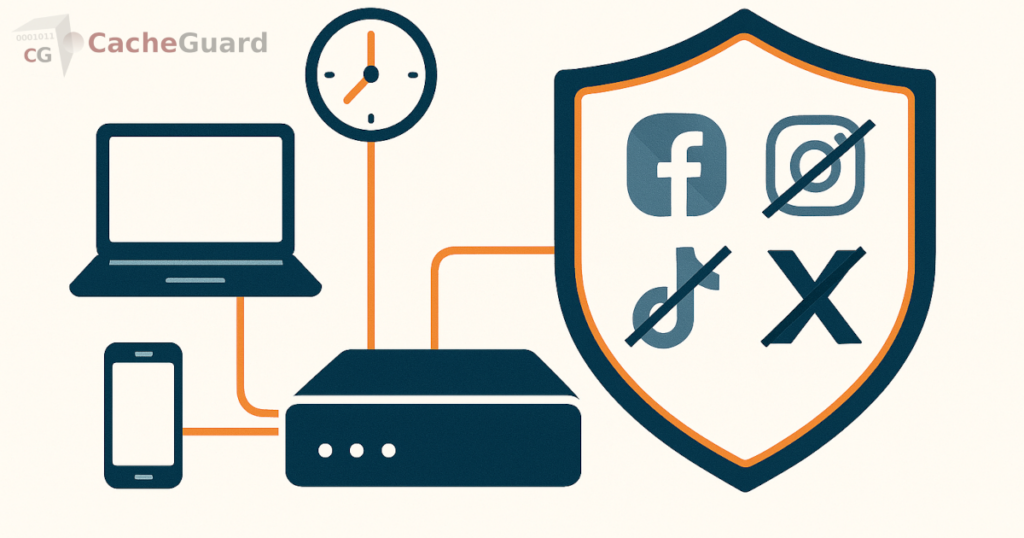
Why You Need to Block Social Media at Work: Productivity and Security
The productivity argument is familiar. Employees spending non-trivial portions of their working day on social platforms are not doing their jobs. Research from the Pew Research Center found that 77 percent of employees who use social media at work do so for personal reasons unrelated to their role. The distraction effect is real and measurable.
The security argument is less often discussed but equally important. Social media platforms are trusted environments — employees interact with content from people they know, which makes them significantly more likely to click on links without the same caution they would apply to an email from an unknown sender. Malicious links, fake login pages, and malware-laden downloads circulate through social networks at scale. An employee who clicks an infected link on their personal Facebook account while connected to the company network can introduce threats that a perimeter firewall would have blocked on any other channel.
Blocking social media at work therefore serves two distinct purposes: it reduces distraction and it removes a high-trust attack surface from your network perimeter.
Why Simple Blocking Methods Fall Short
The instinctive approach is to add social media domains to a blocklist on the office router. Block facebook.com, instagram.com, twitter.com, tiktok.com, and you are done. In practice, this approach has three significant weaknesses.
Why DNS Filtering Cannot Block Social Media at Work Reliably
Many router-based blocking solutions work at the DNS layer — they intercept DNS queries for blocked domains and return a block response. As we covered in our article on how URL filtering works, a user who changes the DNS server on their device to a public resolver like 8.8.8.8 bypasses this entirely. No DNS query goes through the router. The block is invisible to them.
Social media uses shared infrastructure
Blocking a social media platform by IP address is increasingly ineffective because major platforms share infrastructure with other services. Facebook, Instagram, and WhatsApp share IP ranges with Meta’s business APIs. TikTok shares infrastructure with ByteDance’s CDN. Blocking by IP either misses the target entirely or causes collateral damage to unrelated services your employees legitimately use.
Domain-level blocking misses subdomains and new platforms
Manually blocking specific domains — facebook.com, instagram.com, tiktok.com — requires constant maintenance as platforms evolve, add subdomains, or new platforms emerge. A blocklist that was complete last month may already be incomplete today. Category-based filtering solves this by classifying entire categories of sites automatically, including newly registered domains that match social media patterns, without requiring manual list management.
How to Block Social Media at Work at the Network Level
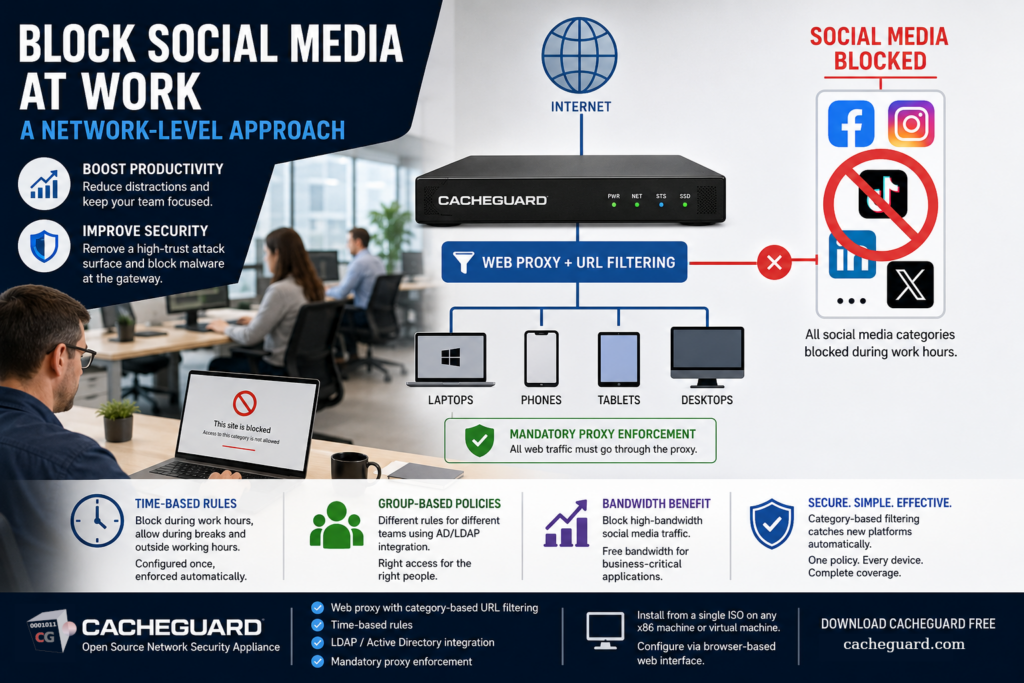
The robust approach is a web proxy with category-based URL filtering deployed at your network gateway. Rather than maintaining a manual list of blocked domains, a category-based filter uses a continuously updated database of URLs organized by category. “Social media” is a standard category in every major URL filtering database, covering thousands of domains and subdomains across all major platforms — including new ones as they emerge — without requiring manual updates.
Because the filtering happens at the proxy layer rather than the DNS layer, it cannot be bypassed by changing DNS settings. The proxy intercepts HTTP and HTTPS requests before they reach the internet. A device configured to route traffic through the proxy has no path to social media platforms that does not pass through the filter. For BYOD devices and personal phones on company WiFi, mandatory proxy enforcement — a firewall rule that blocks any outbound HTTPS traffic not routed through the proxy — removes the bypass option entirely.
Time-Based Rules: Block During Work Hours, Allow During Breaks
A blanket block on all social media at all times is the bluntest possible policy — and for many organizations, it is the wrong one. Employees who cannot check their personal accounts at any point during the working day may feel micromanaged, and some roles genuinely require social media access for professional purposes.
A network-level URL filtering system supports time-based rules. Social media categories can be blocked between 9am and 12pm, then between 1pm and 5pm, and permitted during the lunch break and outside working hours. The gateway applies the policy automatically based on the time of day — no manual action required, no per-device configuration.
This approach is substantially more defensible from an employment relations perspective than a blanket block. Employees have access to personal platforms at defined times; during working hours, the network enforces the company’s acceptable use policy. The policy is consistent, documented, and technical — not dependent on individual managers noticing or enforcing behavior.
Group-Based Policies: Different Rules for Different Teams
Not all roles have the same relationship with social media. A marketing team member managing the company’s LinkedIn and Instagram presence has a legitimate professional need to access platforms that a warehouse operative or an accountant does not. A blanket policy that blocks the same categories for every employee is both over-restrictive for some and under-restrictive for others.
A URL filtering system integrated with your directory service — Active Directory or LDAP — applies policies based on group membership. The marketing team is in a group that has social media access during working hours. Every other employee is in a group that does not. The gateway reads the user’s group membership at authentication and applies the appropriate policy automatically. You configure the groups once; the gateway enforces them consistently for every request.
This is the same mechanism that makes network-level filtering more flexible than per-device approaches. On a per-device system, you would need to configure different policies on each device belonging to different team members, and manage them individually as people join, leave, or change roles. On a network-level system, you update the directory group and the policy change applies immediately across all devices for that user.
The Bonus: Blocking Social Media at Work Also Saves Bandwidth
Blocking social media at work has a measurable secondary effect on network performance. Social media platforms are bandwidth-intensive — video content, image-heavy feeds, live stories, and reels consume significant amounts of data compared to ordinary business applications. Removing this category of traffic from your network during working hours frees bandwidth for video calls, cloud file synchronization, and other business-critical applications.
This connects directly to the broader bandwidth optimization approach we covered in our guide to reducing internet bandwidth usage in the office. URL filtering that blocks high-bandwidth non-work content is one of the three techniques that together allow a small office to get significantly more effective performance from the same internet connection.
What You Need to Implement This
Network-level social media blocking requires a web proxy with URL filtering capability at your internet gateway. This is not a feature of standard consumer routers — it requires a dedicated network security appliance or a software solution running on a server at your network perimeter.
For small businesses managing BYOD environments, the network-level approach is particularly valuable because it applies to every device on the network regardless of ownership — personal phones on company WiFi are subject to the same policy as company laptops, without any software installed on those devices.
CacheGuard is a free, open-source network security appliance built on Linux that includes a web proxy with category-based URL filtering as part of its complete UTM feature set. It supports time-based filtering rules, LDAP and Active Directory integration for group-based policies, and mandatory proxy enforcement via integrated firewall rules. The social media category — along with streaming, gaming, and other non-work categories — can be blocked or time-restricted from a single configuration interface, applying instantly to every device on the network.
CacheGuard installs from a single ISO image on any standard x86 machine or virtual machine. Configuration is through a browser-based web interface. You can download CacheGuard for free from the official website.
The Honest Picture on How to Block Social Media at Work
Network-level filtering is the most robust technical approach to block social media at work — but it is not foolproof. An employee on a personal device who switches to mobile data bypasses your network entirely. A determined employee who uses a web-based proxy or VPN service on their personal device may be able to route around your filtering — though blocking the anonymizer and proxy URL categories closes this gap for most attempts.
The goal of network-level social media blocking is not to make access technically impossible for every possible motivated employee. It is to make access to social media during working hours require a deliberate workaround, rather than being a default-open option on the company network. Most employees will respect a clearly communicated policy backed by technical enforcement. The small number who actively circumvent it are a management conversation, not a technical one.
Document your acceptable use policy. Communicate it clearly to employees before enabling filtering. Make the time-based rules visible — employees should know they have access during break times. And configure your filtering to block the category, not specific named platforms, so that the policy applies to new social media platforms automatically as they emerge.
Want to go deeper? Read our complete guide to URL filtering for a technical breakdown of how network-level content filtering works, or our guide to reducing office internet bandwidth to understand the full picture of network traffic management. Ready to get started? Download CacheGuard for free and have it running today.
Questions about deploying CacheGuard? Visit the community forum at help.cacheguard.net or browse the full documentation at CacheGuard Documentation.
