

Is Windows Firewall enough to protect your network? It is a question many small business owners and startup founders ask — often after discovering that Windows comes with a built-in firewall and assuming that this is sufficient protection for their entire organization.
The short answer is no. But the reason matters more than the answer. Windows Firewall is not a bad product. It is simply a different kind of product — built for a different purpose. Understanding the difference is what will help you make the right decision for your network.
What Windows Firewall Actually Is
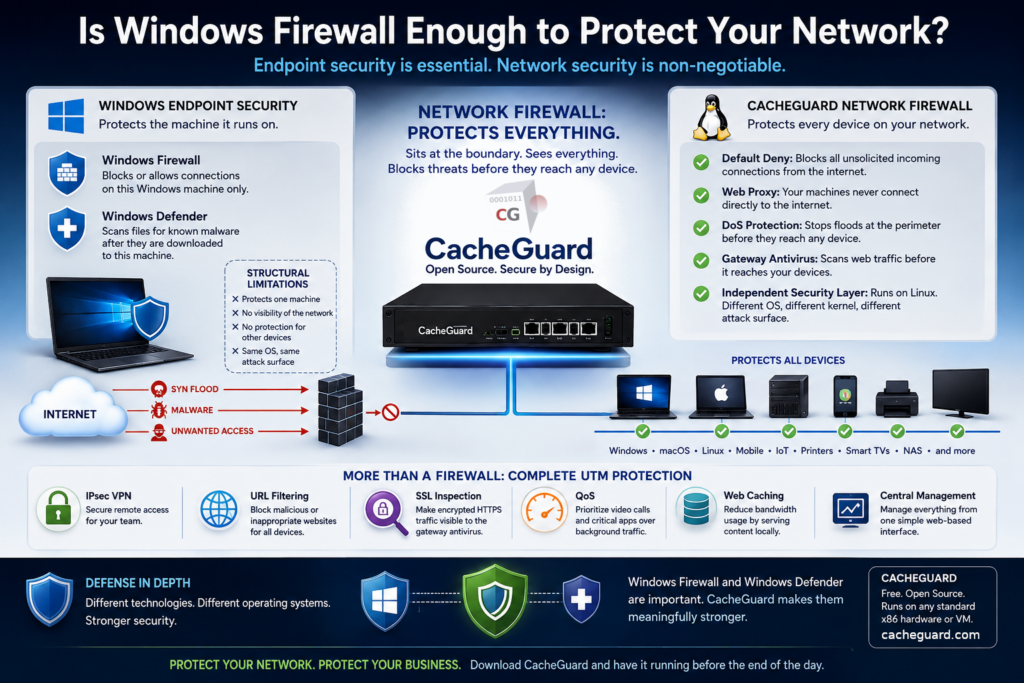
Windows Firewall — officially called Microsoft Defender Firewall — is a host-based, software firewall.. It runs on a single Windows machine and protects that machine only. It monitors traffic arriving at and leaving that device, and it applies rules to allow or block connections based on ports, protocols, and applications.
This is a genuinely useful layer of protection. But it has a structural limitation that no configuration change can overcome: it only protects the machine it runs on.
If you have fifteen devices on your network — laptops, desktops, a printer, a NAS, a smart TV, a handful of mobile phones — Windows Firewall is running on your Windows machines only. Every other device is unprotected by it. And even for the machines it does run on, it operates entirely within the Windows ecosystem. It shares the same operating system, the same kernel, and the same attack surface as everything else on that machine.
What Windows Defender Actually Is
Windows Defender is Microsoft’s built-in antivirus. It runs on each Windows machine and scans files and processes for known malware signatures. Like Windows Firewall, it is a genuinely useful tool.
But it has the same structural limitation: it only protects the machine it runs on. It scans files after they have been downloaded to that device. It has no visibility into traffic on the rest of your network, no ability to intercept threats before they arrive, and no coverage of non-Windows devices.
Both Windows Firewall and Windows Defender operate inside the Windows environment. If a piece of malware is sophisticated enough to disable or evade them, it is targeting the same system they are running on. They are the lock on the door — essential, but not the only thing you need.
So Is Windows Firewall Enough? The Structural Problem
Is Windows Firewall enough? No — and neither is Windows Defender on its own. The reason is architectural, not a matter of configuration.
Both tools are endpoint security. They protect individual machines. What they cannot provide is network-level protection — a security layer that sits at the boundary between your internal network and the internet, covering every device behind it simultaneously, regardless of what operating system those devices run.
This is what a network firewall does. And it is a fundamentally different category of product.
A network firewall sits between your internet connection and your local network. All traffic — inbound and outbound — crosses it before reaching any device. It applies security rules at the network boundary, where protection is most effective, rather than on each individual machine after traffic has already arrived.
The Technology Break Principle
There is a well-established principle in cybersecurity — formalized by NIST as part of the Defense in Depth strategy — that states: security layers should use heterogeneous technologies. The goal is to ensure that if one layer is compromised, the attacker does not automatically gain control of the others.
Applied to Windows security, this means: you cannot fully protect a Windows environment using only Windows technologies. If an attacker gains control of a Windows machine at the kernel level, they can potentially disable or circumvent any security tool running inside that same OS — including Windows Firewall and Windows Defender.
A Linux-based network firewall running on separate hardware is an independent security layer. Compromising Windows gives an attacker no leverage over it. It runs a different operating system, a different kernel, different processes. This is the technology break that makes layered security meaningful rather than just redundant.
This is exactly what a dedicated network security appliance provides. The best examples in this category are built on Linux — an operating system that shares nothing with Windows at the code level, the kernel level, or the attack surface level. One such appliance is CacheGuard: a free, open-source network security solution built on a custom Linux distribution purpose-built for this role since 2002. It is not software you install on top of an existing OS — it is the operating system itself, designed from the ground up as a security appliance.
How CacheGuard Complements Windows Firewall
CacheGuard acts as a network firewall at your perimeter. Here is what that adds — capabilities that Windows Firewall structurally cannot provide.
Protection for every device on your network
CacheGuard protects every device connected to your network — Windows machines, macOS laptops, Linux servers, mobile phones, printers, IoT devices, smart TVs — without any software installed on those devices. Its default posture blocks all unsolicited incoming connections from the internet to your internal network. No rules need to be written to achieve this. It is the baseline.
Your machines are never directly exposed to the internet
With CacheGuard’s web proxy in place, your Windows machines never connect directly to the internet for web traffic. All HTTP and HTTPS requests pass through the proxy first. This means your internal machines are shielded behind an intermediary — they are not exposed endpoints. Windows Firewall cannot provide this. It can block or allow connections, but it cannot act as an intercepting intermediary between your machines and the internet.
Network-level DoS protection
Windows has a built-in SYN flood protection mechanism that defends the individual machine’s TCP stack when it is under attack. This is a self-defense mechanism — it helps that one machine survive a flood directed at it.
CacheGuard’s DoS protection operates at the network boundary, absorbing and rate-limiting SYN floods, RST floods, and UDP floods before they reach any device on your LAN. On a network protected only by Windows Firewall, flood traffic reaches every machine and each one must defend itself individually. On a network with CacheGuard, the flood is stopped at the perimeter.
A separate, independent security layer
Because CacheGuard runs on Linux — completely independently of your Windows environment — the two layers reinforce each other without sharing weaknesses. Windows Firewall remains active on each machine as the last line of defense. CacheGuard operates at the network boundary as the first line of defense. Together they form a layered security posture that is meaningfully stronger than either alone.
This is the Defense in Depth approach that NIST recommends: layering heterogeneous security technologies so that an attack missed or bypassed by one is caught by another.
How CacheGuard Complements Windows Defender
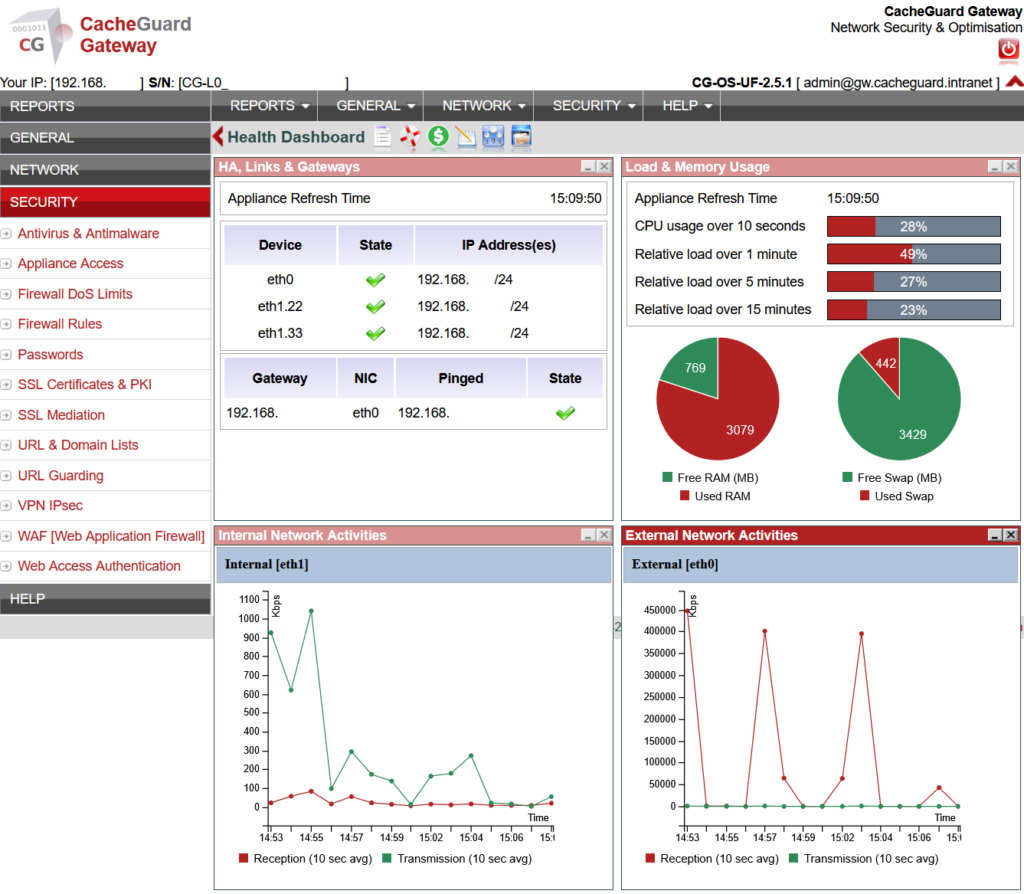
CacheGuard includes a gateway antivirus powered by ClamAV, one of the most widely deployed open-source antivirus engines in the world. It scans web traffic — HTTP and HTTPS content — as it passes through the proxy, before it reaches any device on your network.
This is a fundamentally different interception point from Windows Defender, which scans files after they have been downloaded to a machine. CacheGuard’s gateway antivirus can stop a malicious download before it ever touches any device — including the non-Windows devices that Windows Defender does not cover at all.
The technology break applies here too. Two independent antivirus layers, on two different operating systems, at two different points in the traffic flow. Bypassing one does not bypass the other.
In Addition: What CacheGuard Brings Beyond Security
CacheGuard is not just a network firewall and antivirus complement. As a complete UTM (Unified Threat Management) appliance, it also provides capabilities that Windows has no equivalent of at the network level:
- IPsec VPN — secure remote access for your team without third-party subscriptions
- URL filtering — block access to malicious or inappropriate websites for all devices on the network
- SSL inspection — make encrypted HTTPS traffic visible to the gateway antivirus
- QoS (Quality of Service) — prioritize video calls and critical applications over background traffic
- Web caching — reduce bandwidth consumption by serving frequently accessed content locally
These capabilities operate on all devices simultaneously from a single management interface — no per-machine configuration required.
Is Windows Firewall Enough? The Honest Answer
Windows Firewall is enough to protect a single Windows machine from unsolicited inbound connections on that machine. Windows Defender is enough to scan files on that machine for known malware signatures.
Neither is enough to protect your network — the shared infrastructure that connects all your devices to the internet and to each other.
The right answer is not to replace Windows Firewall and Windows Defender, but to add an independent network-level layer that complements them. A Linux-based network firewall appliance does exactly that — covering the perimeter, protecting every device, intercepting threats before they arrive, and doing so on a completely independent technology stack.
CacheGuard is free, open source, and runs on any standard x86 machine or virtual machine you already have. It installs in under an hour and requires no command-line expertise to configure. If you are running a small business or a startup on a Windows network, it is the most impactful network security improvement you can make today.
Ready to complement your Windows security with a free network firewall? Download CacheGuard and have it running before the end of the day.
Want to go deeper? Read our complete guide to network security for small business, our guide to choosing an open source firewall for small business, or our startup network security guide if you are in an early-stage company. If you are ready to evaluate CacheGuard as your network firewall solution, our Why CacheGuard? page covers everything you need to know.
Questions about deploying CacheGuard? Visit the community forum at help.cacheguard.net or browse the full documentation at CacheGuard Documentation.
