

Knowing how to secure IoT devices on your network has become one of the most practical cybersecurity questions for small businesses and home users alike. Smart TVs, IP cameras, connected printers, smart speakers, thermostats, access control systems — the average small office now has dozens of devices on the network that nobody thinks of as computers, but that are connected to the internet around the clock.
The advice you find most often — change the default password, update the firmware, put IoT devices on a separate WiFi — is not wrong. But it misses the most important part of the picture. Most IoT devices cannot protect themselves, regardless of how you configure them. And that changes the security strategy entirely.
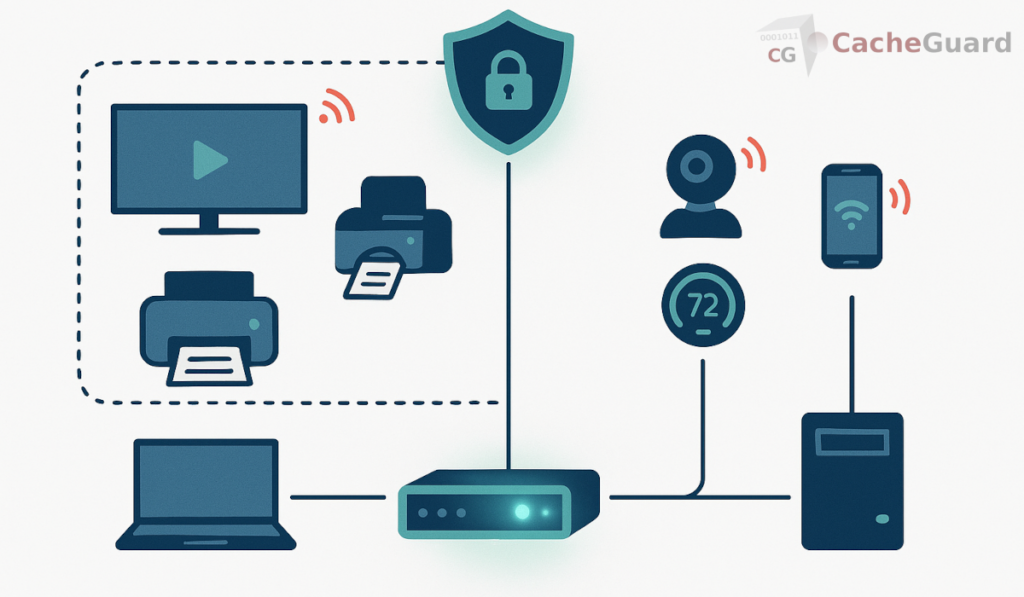
Why Standard Security Tools Cannot Secure IoT Devices on Your Network
A laptop or smartphone can run antivirus software, receive OS security updates, and enforce its own connection policies. IoT devices typically cannot. A smart TV runs a proprietary OS that the manufacturer controls — if they stop providing updates, the device receives no patches, regardless of what vulnerabilities are discovered. An IP camera has no user-facing security interface beyond a basic web login. A smart thermostat, a connected printer, a WiFi-enabled door lock — none of these can run endpoint security software.
This means the standard toolkit for securing a Windows or macOS machine does not apply. You cannot install antivirus on a smart TV. You cannot configure a firewall on an IP camera. You cannot enforce security policies on a network-connected printer at the device level.
The consequence is significant: the only security layer that reliably covers IoT devices is one that operates at the network level, independently of what the device itself can do. If your security strategy depends entirely on what is installed on or configured on each device, your IoT devices have no security strategy at all.
This is also the reason why the CISA and NIST both emphasize network segmentation and network-level controls as the primary approach to IoT security — not because per-device controls are unimportant, but because for IoT specifically, network controls are often the only controls available.
Step 1: Isolate Your IoT Devices From Your Main Network
The first and most important step is network isolation. IoT devices should not be on the same network segment as your computers, servers, and sensitive data. The reason is straightforward: if an IoT device is compromised — and many are, silently, without the owner ever knowing — an attacker on that device should not have direct access to everything else on your network.
Most home routers offer a guest network that can serve as a basic IoT isolation zone. This is better than nothing, but it has limitations: guest networks typically allow all outbound internet access, provide no traffic filtering, and offer no visibility into what IoT devices are actually doing.
A dedicated network security appliance handles this differently. It places IoT devices in an isolated zone — completely separated from the internal network where your computers and servers live — with its own policy set. Traffic between zones is controlled by explicit rules. By default, devices in the IoT zone cannot reach the internal network at all. This is the kind of isolation that prevents a compromised IP camera from becoming a stepping stone to your file server.
Step 2: Filter What IoT Devices Can Reach on the Internet
Isolation protects your internal network from compromised IoT devices. But it does not protect the IoT devices from the internet — or prevent them from communicating with malicious servers if they are compromised.
A web gateway with URL filtering can restrict what destinations IoT devices are allowed to reach. In practice, a smart TV only needs to reach a handful of streaming service domains. An IP camera only needs to reach its manufacturer’s cloud service. A smart thermostat only needs to connect to its vendor’s API. Everything else — and in particular, known malicious domains, command and control infrastructure, and anonymizer services — can be blocked at the gateway before any connection is established.
This is a meaningful defense in depth layer. Even if an IoT device is compromised by malware, the malware’s ability to communicate with its operators depends on reaching specific external servers. A gateway that blocks those destinations by category — malware, botnet command and control, anonymizers — significantly limits what a compromised IoT device can actually do.
For a detailed technical explanation of how URL filtering works at the network level, see our complete guide to URL filtering.
Step 3: Scan Traffic From IoT Devices for Malware
A gateway antivirus engine scans web traffic — HTTP and HTTPS content — as it passes through the proxy, in both directions. For IoT devices, this means that any malicious content downloaded by a device, or any suspicious traffic it sends outbound, is inspected before it reaches its destination.
This is particularly relevant for IoT devices that download firmware updates or configuration data from the internet. A compromised update server — a supply chain attack scenario that has affected several IoT manufacturers — can push malicious firmware to devices. A gateway antivirus that scans downloaded content before it reaches the device provides a detection layer that the device itself cannot provide.
Step 4: Control Outbound Traffic With Firewall Rules
Beyond URL filtering, firewall rules at the network gateway can restrict IoT devices to specific outbound connections. A rule that allows a smart TV to reach only its streaming service domains, and blocks everything else, produces a dramatically smaller attack surface than a rule that allows all outbound traffic.
This is admittedly more complex to configure than a blanket policy — it requires knowing which domains each device legitimately needs to reach. But for high-value IoT devices like IP cameras, access control systems, or any device that has physical security implications, the effort is worthwhile. A camera that can only reach its manufacturer’s cloud service cannot be used as a general-purpose attack platform even if fully compromised.
A network security appliance with an integrated firewall and web proxy makes this combination of zone isolation, URL filtering, and outbound traffic restriction manageable from a single interface — rather than requiring separate systems for each function.
What You Need to Start Securing IoT Devices on Your Network
The approach described in this guide — zone isolation, gateway antivirus, URL filtering, and outbound traffic control — requires a network security appliance sitting between your internet connection and your local network. This is not a feature available in most consumer routers.
One solution is CacheGuard, a free, open-source network security appliance built on Linux. It includes zone-based network isolation, a web proxy with URL filtering, a gateway antivirus engine, an integrated firewall, and a complete UTM feature set in a single package. IoT devices are placed in CacheGuard’s isolated auxiliary zone, which is blocked from the internal network by default. Outbound traffic policies and URL category filtering apply independently to each zone.
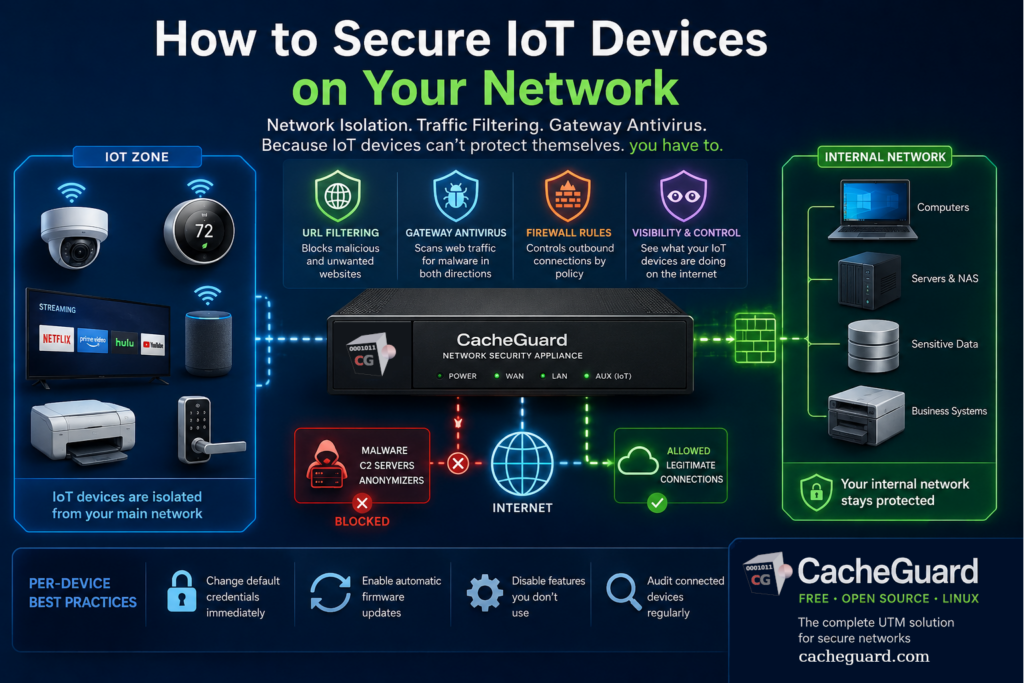
CacheGuard installs on any standard x86 machine or virtual machine from a single ISO image. Configuration is through a browser-based web interface. You can download CacheGuard for free from the official website.
Per-Device Good Practices: Still Worth Doing
Network-level controls are the primary defense for IoT devices — but per-device hygiene still matters as a complementary layer.
- Change default credentials immediately. Many IoT devices ship with well-known default usernames and passwords. Attackers scan for these routinely. Change them before connecting any new device to your network.
- Enable automatic firmware updates where available. Many IoT manufacturers do push security patches. Enable automatic updates so devices receive them without requiring manual action.
- Disable features you do not use. Remote access, UPnP, Telnet, and other services that are enabled by default on many IoT devices expand the attack surface unnecessarily. Disable anything your use case does not require.
- Audit your connected devices regularly. The network gateway’s DHCP table shows every device connected to your network. Review it periodically and remove or investigate anything you do not recognize.
None of these steps replaces network-level protection — they complement it. The combination of network isolation, traffic filtering, and per-device hygiene produces a security posture that is meaningfully stronger than either approach alone.
The Honest Baseline
The most effective way to secure IoT devices on your network is not to work on the devices themselves — and understanding why leads directly to the right strategy. IoT devices were not designed with endpoint security in mind, and many of them will never be. The security has to come from the network layer, where you have control regardless of what the device can or cannot do.
Network isolation, traffic filtering, and gateway antivirus do not make IoT devices secure in the sense that a patched, managed laptop is secure. They make the consequences of a compromised IoT device manageable — contained to the device itself rather than propagating across your entire network. For most small businesses and home users, that is a realistic and achievable goal. It is also far better than the alternative, which is a network where a compromised smart TV has the same access as your accounting software.
Want to go further? Read our guide to UTM appliances for an overview of what a network security appliance does, or our article on why Windows Firewall is not enough for a broader look at network-level versus endpoint security. Ready to get started? Download CacheGuard for free and have it running today.
Questions about deploying CacheGuard? Visit the community forum at help.cacheguard.net or browse the full documentation at CacheGuard Documentation.
