

Network security for small business is no longer optional. As cyber threats grow more sophisticated and more frequent, small businesses have become prime targets — not because they are valuable in isolation, but because they are often the weakest link in a supply chain, or simply the easiest target available.
This complete guide covers everything a small business needs to know about network security — the threats you face, the tools you need, and how to implement solid protection without an enterprise budget or a dedicated IT security team.
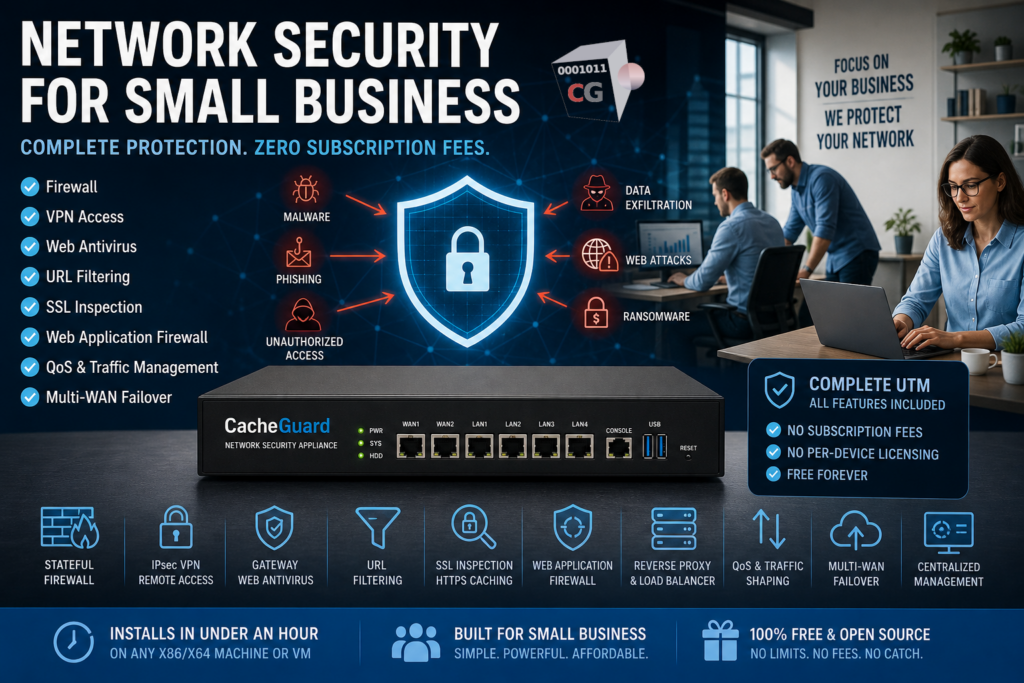
Why Network Security for Small Business Is Critical
Many small business owners operate under the assumption that cybercriminals only target large enterprises. This assumption is not just wrong — it is dangerous.
Small businesses are increasingly targeted for several reasons. They handle valuable data — customer records, payment information, intellectual property — but typically invest far less in security than larger organizations. They are often connected to larger partners and clients, making them an attractive entry point for supply chain attacks. And when a breach occurs, they rarely have the resources to absorb the financial and reputational damage.
The consequences of a security incident for a small business can include:
- Financial losses from fraud, ransomware payments or business interruption
- Regulatory fines under GDPR and other data protection laws
- Loss of customer trust and reputational damage that takes years to rebuild
- Legal liability if customer data is compromised
Good network security for small business does not require enterprise-level investment. It requires a systematic approach, the right tools, and consistent execution.
The Most Common Network Security Threats Facing Small Businesses
Understanding the threat landscape is the first step toward effective network security for small business environments.
Malware and Ransomware
Malware — malicious software — remains the most common threat facing small businesses. Ransomware, a particularly damaging form of malware, encrypts your files and demands payment for the decryption key. Small businesses are frequently targeted because they are more likely to pay the ransom quickly to restore operations, and less likely to have proper backups in place.
Phishing Attacks
Phishing attacks use deceptive emails or websites to trick employees into revealing credentials, downloading malware or transferring funds. Modern phishing sites often use HTTPS to appear legitimate — making them invisible to security tools that cannot inspect encrypted traffic.
Unauthorized Network Access
Without a properly configured firewall, your network may be exposed to unauthorized access from the internet. Attackers scan for open ports and vulnerable services continuously, looking for entry points into unprotected networks.
Data Exfiltration
Sensitive data — customer records, financial information, intellectual property — can be stolen by attackers who have gained access to your network, or by insiders using encrypted connections to transfer data outside your organization.
Web-Based Attacks on Your Applications
If your small business runs a website, a customer portal or an API, those applications are potential targets for SQL injection, cross-site scripting and other web application attacks. Without a Web Application Firewall, these attacks can compromise your application and the data it handles.
Network Security for Small Business: The Essential Components
Effective network security for small business does not require dozens of separate tools. The following components, working together, cover the most critical security needs of any small business network.
Firewall
A firewall is the foundation of network security for small business environments. It monitors and controls all traffic entering and leaving your network, blocking unauthorized access and filtering malicious connections before they reach your systems.
A proper business firewall goes beyond the basic NAT firewall in your ISP router. You need a stateful firewall with fine-grained rules that you control — one that logs all traffic and alerts you to suspicious activity.
VPN for Remote Access
Remote work is now standard for most small businesses. Without a VPN, employees connecting from home or public Wi-Fi create significant security risks. A VPN creates an encrypted tunnel between remote devices and your network, protecting all traffic regardless of where your team is working.
Gateway Web Antivirus
Endpoint antivirus on individual devices is necessary but not sufficient. Gateway-level web antivirus scans all internet traffic at the network level — before it reaches any device — catching malware, drive-by downloads and malicious files that endpoint tools might miss.
URL Filtering
URL filtering blocks access to known malicious websites, phishing domains and inappropriate content before users can interact with them. It is one of the most effective preventive controls available for small business networks, stopping threats at the source.
SSL Inspection
The majority of internet traffic today is encrypted. Without SSL inspection, your antivirus and filtering tools are blind to threats traveling inside HTTPS connections. SSL inspection — called SSL mediation in CacheGuard — decrypts, inspects and re-encrypts traffic in real time, closing this critical blind spot.
Web Application Firewall
If your small business runs any web-facing application, a WAF is essential. It sits in front of your applications and blocks malicious requests — SQL injection, cross-site scripting and other application layer attacks — before they reach your code.
QoS and Traffic Management
Quality of Service controls ensure that critical business applications — video calls, cloud services, VoIP — always get the bandwidth they need. Traffic shaping prevents bandwidth-hungry applications from degrading the performance of business-critical services.
Network Security for Small Business: Build vs Buy
One of the most important decisions in small business network security is whether to buy a commercial security appliance or deploy an open-source solution.
Commercial appliances — such as Sophos XGS, Fortinet FortiGate or Cisco Meraki — offer enterprise-grade features and vendor support but come with significant costs: proprietary hardware, annual subscription licensing and renewal fees that add up year after year. For a small business with limited budget, these costs can be prohibitive.
Open-source UTM appliances deliver the same core security features at zero licensing cost. They run on commodity hardware you already own, have no subscription fees and give you full transparency into how the system works.
The key question when evaluating open-source options is depth of integration. Solutions like pfSense and OPNsense require plugins and significant expertise to reach a full UTM feature set. CacheGuard takes a different approach — delivering a complete, integrated security stack in a single ISO that installs in under an hour.
CacheGuard: Network Security for Small Business Made Simple
CacheGuard is a free, open-source UTM appliance built specifically for organizations that need comprehensive network security without enterprise complexity or cost. Born in 2002 and representing over 5,000 man days of research and development, it is one of the most mature open-source network security solutions available today.
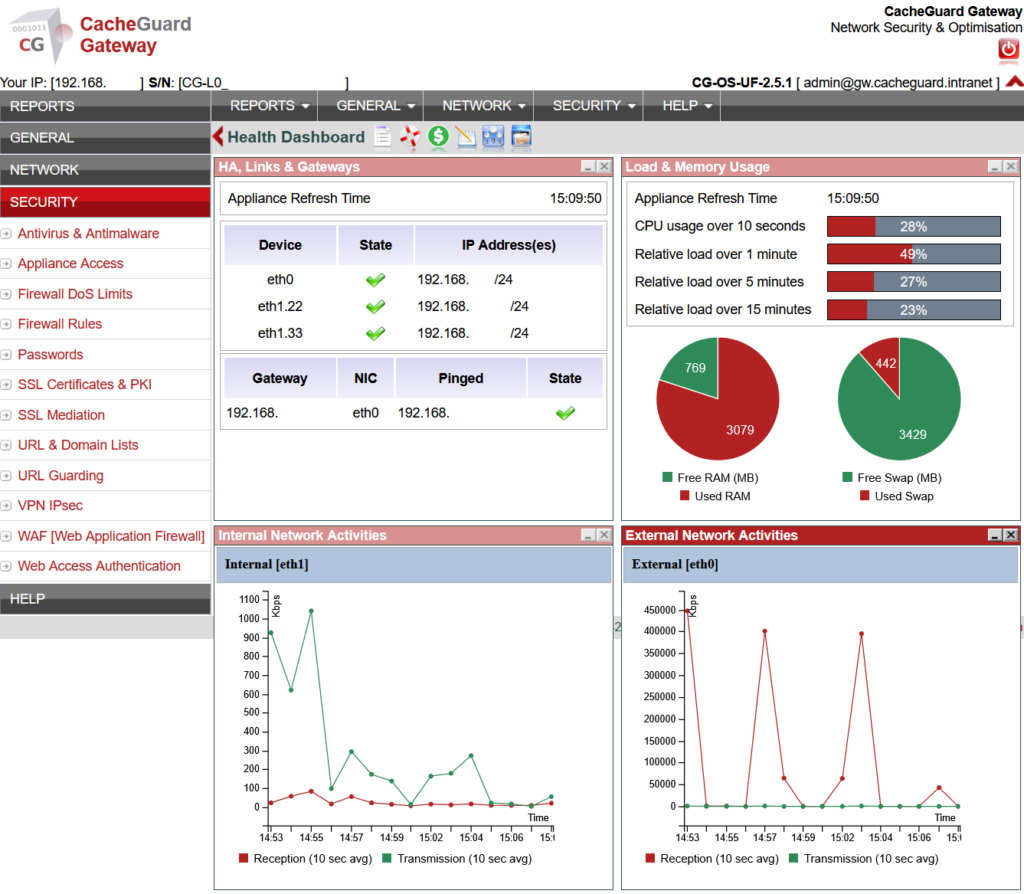
CacheGuard-OS is not an application you install on top of an existing operating system — it IS the operating system. A fully custom, network appliance oriented Linux distribution that turns any x86/x64 machine or VM into a complete security gateway in under an hour.
Everything your small business needs is included out of the box:
- Stateful firewall with fine-grained traffic control
- IPsec VPN for secure remote access
- Gateway web antivirus powered by ClamAV
- Filtering web proxy with URL filtering capabilities
- SSL inspection for encrypted traffic scanning and HTTPS caching
- Web Application Firewall powered by ModSecurity and OWASP Core Rule Set
- Reverse proxy and load balancer
- Multi-WAN support with automatic failover
- QoS and traffic shaping
- Web caching to reduce bandwidth usage
- Centralized management via CacheGuard Manager for multi-site deployments
No plugins, no subscription fees, no per-device licensing. Free for any number of users, on any number of machines, forever.
Network Security for Small Business: A Practical Implementation Plan
Here is a realistic, step-by-step plan for implementing network security in a small business environment:
Week 1 — Deploy your security appliance. Install CacheGuard on a dedicated machine or VM. Connect it between your ISP router and your internal network. Configure your basic firewall rules and enable VPN for remote access. Your most critical protection is in place.
Week 2 — Enable web security features. Activate gateway web antivirus and URL filtering. Deploy your CA certificate to user devices and enable SSL inspection. Your security appliance can now see and scan encrypted traffic.
Week 3 — Protect your web applications. If you run any web-facing applications, configure the WAF to protect them. Review your firewall rules and tighten any overly permissive configurations.
Week 4 — Optimize and monitor. Configure QoS to prioritize critical applications. Set up log monitoring and review your security logs at least weekly. Establish a routine for keeping your appliance updated.
Ongoing — Maintain and improve. Network security for small business is not a one-time project. Review your security posture quarterly, update your policies as your team and infrastructure evolve, and stay informed about new threats relevant to your industry.
Network Security for Small Business vs Enterprise: Key Differences
| Small Business | Enterprise | |
|---|---|---|
| Budget | Limited — free or low cost tools | Large — commercial appliances |
| IT team | None or generalist | Dedicated security team |
| Compliance | GDPR, basic requirements | Complex multi-framework compliance |
| Threat sophistication | Common malware, phishing | Targeted advanced threats |
| Recovery capability | Limited | Incident response team |
| Right solution | All-in-one UTM like CacheGuard | Layered enterprise security stack |
Conclusion
Network security for small business is achievable without an enterprise budget or a dedicated security team. The key is to choose the right tools — ones that deliver comprehensive protection out of the box, without requiring specialist expertise to deploy and maintain.
CacheGuard gives small businesses exactly that — a complete, free, open-source UTM appliance that covers every essential security need from firewall to WAF, VPN to web antivirus, in a single solution that installs in under an hour.
Download CacheGuard for free and have your small business network fully protected in under an hour.
Questions about deploying CacheGuard? Visit the community forum at help.cacheguard.net or browse the full documentation at CacheGuard Documentation.
