

Every startup founder knows that security matters — but knowing it and acting on it are two very different things. Without a structured network security checklist for startups, security quickly becomes a collection of half-measures and good intentions that leave dangerous gaps in your defenses.
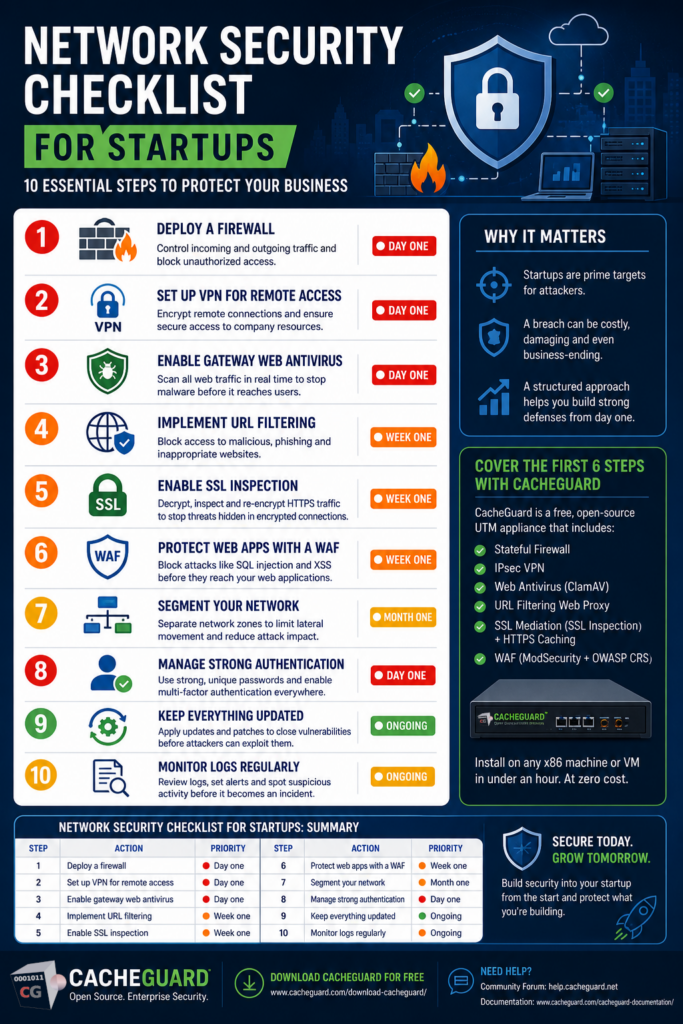
This network security checklist for startups gives you a clear, actionable framework to follow. Ten essential steps that cover the most critical aspects of network security — from the basics every startup needs on day one to the more advanced measures that will protect you as you grow.
Why Every Startup Needs a Network Security Checklist
Before diving into the checklist itself, it is worth understanding why startups are particularly vulnerable — and why a structured approach matters.
Startups are attractive targets for cybercriminals precisely because they combine valuable assets — customer data, intellectual property, payment information — with immature security defenses. A breach at an early stage can be fatal: the financial cost, the reputational damage, and the regulatory consequences of a GDPR violation can derail a company that is not yet strong enough to absorb the impact.
A network security checklist for startups does not eliminate risk — no checklist can do that. But it ensures you have covered the fundamentals systematically, so that gaps in your defenses are deliberate trade-offs rather than oversights.
Network Security Checklist for Startups: 10 Essential Steps to Follow
✅ Step 1 of the Network Security Checklist for Startups: Deploy a Firewall
A firewall is the non-negotiable foundation of your network security. It controls what traffic can enter and leave your network, blocking unauthorized access and filtering out malicious connections before they reach your systems.
Every startup needs a firewall from day one — not the basic NAT firewall built into your ISP router, but a proper stateful firewall with fine-grained rules that you control. Without one, your network is essentially open to the internet.
What to do: Deploy a dedicated firewall appliance or UTM solution that gives you full control over your traffic rules. CacheGuard includes a complete stateful firewall as part of its free, open-source UTM appliance.
✅ Step 2: Set Up a VPN — Essential for Startup Remote Security
If any member of your team works remotely — and in most startups, everyone does at some point — you need a VPN. Without one, remote employees connect to your systems over public or home networks that you have no control over, creating a significant attack surface.
A VPN creates an encrypted tunnel between remote devices and your network, ensuring that all traffic is protected regardless of where your team is working from.
What to do: Enable a VPN server on your network security appliance. Make sure every remote employee connects through it whenever accessing company resources. CacheGuard includes a built-in IPsec VPN server at no additional cost.
✅ Step 3: Enable Web Antivirus — A Startup Security Essential
Endpoint antivirus on individual laptops is necessary but not sufficient. Gateway-level web antivirus scans all internet traffic before it reaches your users’ devices — catching malware, drive-by downloads and malicious files at the network level, regardless of which device is targeted.
This is particularly important for startups with diverse device fleets — personal laptops, mobile devices, contractor machines — where you cannot guarantee that endpoint security is consistently installed and updated.
What to do: Enable gateway-level web antivirus on your network security appliance. CacheGuard includes web antivirus powered by ClamAV, scanning all traffic in real time at no extra cost.
✅ Step 4: Implement URL Filtering — Protect Your Startup Network
URL filtering blocks access to known malicious websites, phishing sites and inappropriate content before your users even have a chance to interact with them. It is one of the most effective ways to prevent web-based attacks — stopping threats at the source rather than trying to clean up after infection.
For startups handling customer data, URL filtering also helps demonstrate to auditors and regulators that you have active controls in place to prevent data leakage.
What to do: Enable URL filtering on your network security appliance with at minimum a blocklist of known malicious and phishing domains. CacheGuard includes a filtering web proxy with URL filtering capabilities built in.
✅ Step 5 of the Network Security Checklist for Startups: Enable SSL Inspection
The vast majority of internet traffic today is encrypted using HTTPS. While encryption is essential for protecting legitimate data, it also hides malicious content from security tools that cannot see inside encrypted connections. Malware, phishing payloads and data exfiltration can all travel undetected inside HTTPS traffic.
SSL inspection — called SSL mediation in CacheGuard — allows your security appliance to decrypt, inspect and re-encrypt HTTPS traffic in real time, applying your antivirus and security policies to encrypted traffic as well as unencrypted.
What to do: Enable SSL inspection on your UTM appliance and deploy the CA certificate to your users’ devices. Maintain an exception list for applications that use SSL pinning. CacheGuard includes SSL mediation built in, with the added benefit of enabling HTTPS caching to save bandwidth.
✅ Step 6: Protect Startup Web Applications With a WAF
If your startup runs any web-facing application — a customer portal, an API, an ecommerce site — you need a Web Application Firewall. A WAF sits in front of your web applications and blocks malicious requests including SQL injection, cross-site scripting and other application layer attacks before they reach your code.
Unlike a network firewall that operates at the IP level, a WAF understands the content of web requests and can block sophisticated attacks that would pass through a traditional firewall undetected.
What to do: Enable the WAF on your UTM appliance and configure it to protect your web applications. CacheGuard includes a WAF powered by ModSecurity and the OWASP Core Rule Set — the industry standard for web application protection.
✅ Step 7: Segment Your Network — A Key Startup Security Measure
Network segmentation divides your network into separate zones — for example separating your servers from your employee workstations. If an attacker compromises one zone, segmentation limits their ability to move laterally across your network and reach sensitive systems.
For startups this does not have to be complex. A basic segmentation separating your production environment from your office network is a significant improvement over a flat network where everything can talk to everything.
What to do: Use your firewall to create separate network zones with controlled access rules between them. At minimum separate your production servers from your office network.
✅ Step 8: Manage Strong Authentication Across Your Startup
Weak passwords and shared credentials are among the most common causes of security incidents. Every account — internal systems, cloud services, admin interfaces — should use strong, unique passwords and where possible multi-factor authentication.
Pay particular attention to administrator accounts for your network security appliance, cloud infrastructure and any system that handles customer data. These are the highest value targets for attackers.
What to do: Enforce a password policy requiring strong, unique passwords for all accounts. Enable multi-factor authentication on all critical systems. Use a password manager to help your team manage credentials securely.
✅ Step 9: Keep Your Startup Security Tools Updated
Unpatched software is one of the most exploited attack vectors. Security vulnerabilities are discovered constantly — in operating systems, applications, firmware and network appliances. Vendors release patches to fix them, but those patches only protect you if you apply them.
For a startup without a dedicated IT team, keeping everything updated can feel overwhelming. The key is to prioritize: your network security appliance, your cloud infrastructure and any internet-facing systems should be updated first and most frequently.
What to do: Set up automatic updates where possible. Check your network security appliance firmware regularly. Subscribe to security advisories for the software and systems you use so you are aware of critical vulnerabilities when they are disclosed.
✅ Step 10: Monitor Your Startup Network and Review Logs Regularly
Security tools are only effective if someone is paying attention to what they report. Regular log review allows you to spot unusual activity — failed login attempts, unexpected traffic spikes, blocked connections — before they escalate into incidents.
You do not need a full security operations center to do this. Even a weekly review of your firewall and antivirus logs can reveal patterns that warrant investigation.
What to do: Enable logging on your network security appliance and review logs at least weekly. Set up alerts for critical events — repeated failed authentications, large outbound data transfers, connections to known malicious IP addresses. CacheGuard provides detailed logs.
Network Security Checklist for Startups: Summary
| Step | Action | Priority |
|---|---|---|
| 1 | Deploy a firewall | 🔴 Day one |
| 2 | Set up VPN for remote access | 🔴 Day one |
| 3 | Enable gateway web antivirus | 🔴 Day one |
| 4 | Implement URL filtering | 🟠 Week one |
| 5 | Enable SSL inspection | 🟠 Week one |
| 6 | Protect web apps with a WAF | 🟠 Week one |
| 7 | Segment your network | 🟠 Month one |
| 8 | Manage strong authentication | 🔴 Day one |
| 9 | Keep everything updated | 🔴 Ongoing |
| 10 | Monitor logs regularly | 🟠 Ongoing |
How CacheGuard Covers Your Network Security Checklist for Startups
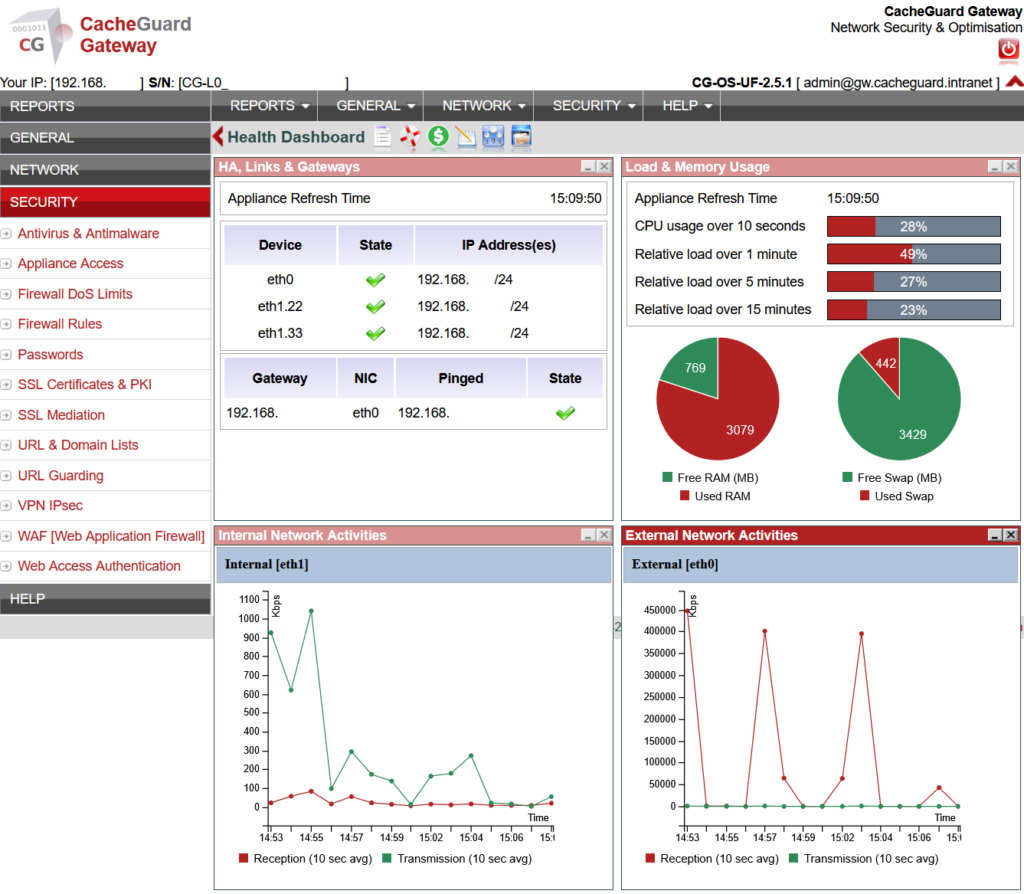
Steps 1 through 6 of this network security checklist for startups — firewall, VPN, web antivirus, URL filtering, SSL inspection and WAF — are all covered by a single CacheGuard appliance, installed on any x86 machine or VM, in under an hour, at zero cost.
Rather than deploying six separate security tools, managing six update cycles and troubleshooting compatibility between six products, CacheGuard gives you all of it integrated and working together from day one.
Steps 7 through 10 — network segmentation, authentication, updates and monitoring — are organizational measures that CacheGuard supports but that ultimately require your team’s commitment to implement consistently.
Conclusion
Working through this network security checklist for startups is not a one-time exercise — it is a foundation you build and maintain as your company grows. The earlier you start, the easier it is to implement each step correctly, and the less expensive it is to fix gaps before they become incidents.
Start with steps 1, 2, 3 and 8 today. They are the highest impact measures and the ones most startups are missing.
Download CacheGuard for free and cover the first six steps of this checklist in under an hour.
Questions about deploying CacheGuard? Visit the community forum at help.cacheguard.net or browse the full documentation at CacheGuard Documentation.
