

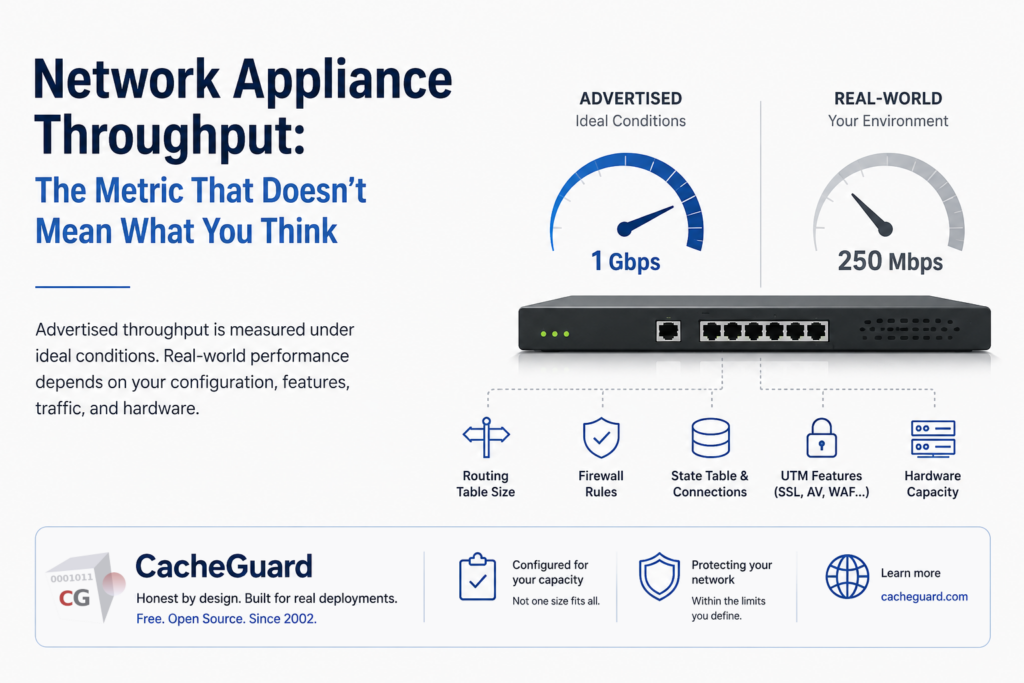
When shopping for a router, firewall, or UTM gateway, one number dominates the spec sheet: network appliance throughput. Measured in megabits or gigabits per second, it sounds precise, objective, and comparable. It is none of those things. This article explains why advertised throughput figures are, at best, a rough indication — and at worst, a marketing fiction.
The Electric Vehicle Analogy
Before diving into networking, consider a parallel most people will recognise.
Electric vehicle manufacturers advertise a range — say, 400 km on a single charge. That figure is measured under controlled laboratory conditions: flat road, constant speed, moderate temperature, no air conditioning, no passengers. In real-world driving — motorway speeds, hills, cold weather, heating on — the actual range may be 250 km or less.
Nobody disputes that 400 km is technically achievable. But nobody seriously expects to achieve it in normal use.
Network appliance throughput works exactly the same way. The advertised figure is measured under ideal, controlled conditions that rarely reflect real deployments. Understanding why requires looking at what actually determines performance.
Part 1: What Really Determines Network Appliance Throughput in a Router
A router’s job sounds simple: receive a packet, look up where to send it, forward it. How hard can that be? Harder than it looks. The network appliance throughput you get from a router depends on several factors that vary enormously between deployments.
The routing table
Every router maintains a table of known network routes. When a packet arrives, the router consults that table to decide where to forward it. A routing table with 10 entries is consulted in microseconds. A table with 100,000 entries — common in enterprise or ISP environments running full BGP — takes measurably longer. The advertised throughput figure was measured with a minimal routing table. Your deployment may be very different.
Routing protocols
Static routes are fast — the table is fixed and simple. Dynamic routing protocols like OSPF, BGP, or RIP add CPU overhead: the router is constantly exchanging routing information with neighbours, recalculating paths, and updating its table. Under heavy routing protocol activity, available processing capacity for forwarding drops significantly.
Why router network appliance throughput is never a fixed number
Even for a device as conceptually simple as a router, there is no single correct throughput figure. There is a throughput figure for a specific configuration, measured under specific conditions. The spec sheet rarely tells you what those conditions were.
Part 2: How Firewall Rules Affect Network Appliance Throughput
A firewall adds a layer of decision-making on top of routing: for every packet, it consults a ruleset and decides whether to allow or block it.
The ruleset problem
A firewall with 5 rules processes packets very differently from one with 500 rules. Each rule is evaluated in sequence until a match is found. A packet that matches rule 1 is processed almost instantly. A packet that reaches rule 498 before matching has been evaluated 498 times. Firewall throughput figures on spec sheets are typically measured with a minimal ruleset — often just a default allow-all. In real deployments, rulesets are complex, overlapping, and frequently updated.
Stateful inspection
Most modern firewalls maintain a state table — a record of active connections — so they can make decisions based on connection context rather than individual packets. Maintaining that table consumes memory and CPU. A firewall handling 10,000 simultaneous connections is doing significantly more work than one handling 100. The advertised figure was measured with a clean state table and minimal concurrent connections. Your deployment will not look like that.
Part 3: UTM Network Appliance Throughput Is Almost Meaningless as a Single Figure
A Unified Threat Management (UTM) gateway stacks multiple security functions on top of routing and firewalling: antivirus scanning, intrusion detection, URL filtering, SSL inspection, web caching, VPN, and more. Each of these functions adds processing overhead — and they interact in ways that make overall performance genuinely difficult to predict.
SSL inspection: the hidden network appliance throughput cost
A significant and growing proportion of internet traffic is encrypted with HTTPS/TLS. To inspect that traffic for malware or policy violations, a UTM must decrypt it, inspect it, and re-encrypt it — a process known as SSL inspection. This is computationally expensive. A UTM advertising “1 Gbps throughput” may achieve that figure only for unencrypted traffic. With SSL inspection enabled, the same device may deliver 200–300 Mbps. This figure is sometimes buried in footnotes; sometimes it isn’t published at all.
Antivirus scanning
Web antivirus engines scan the content of files and pages as they pass through the gateway. The processing cost depends on the size of the content being scanned, the complexity of the signature database, and whether the engine performs heuristic analysis. A gateway processing large file downloads does significantly more work than one handling small API calls.
The compounding effect
Each activated UTM feature consumes resources independently — but they share the same CPU, memory, and network interfaces. The interactions between features can degrade performance in non-linear ways that no single-figure metric can capture. Responsible UTM vendors publish separate figures for different feature combinations. The honest ones acknowledge that the full-UTM figure is considerably lower than the firewall-only headline. The less honest ones advertise the highest figure and leave the rest in the small print.
Part 4: CacheGuard — Network Appliance Throughput Defined by Configuration
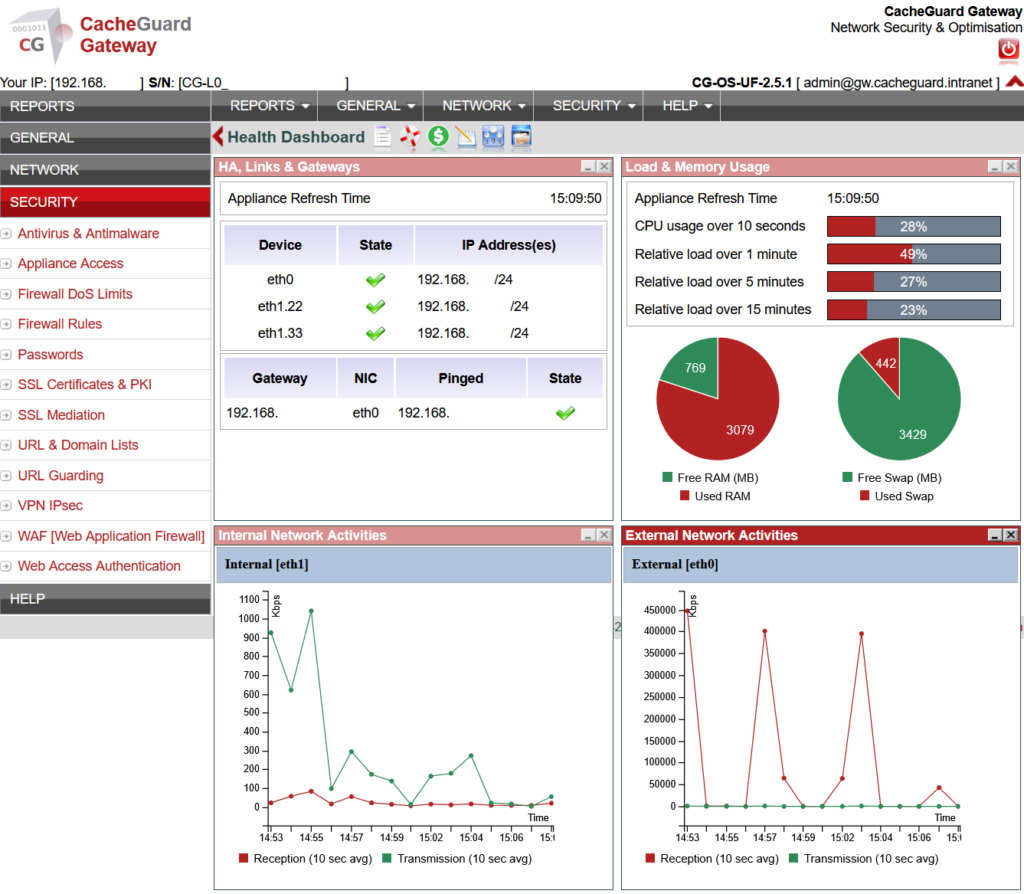
CacheGuard is a free, open-source UTM gateway appliance OS. It integrates a full security stack — stateful firewall (NetFilter), web antivirus (ClamAV), URL filtering, SSL inspection, WAF (ModSecurity), VPN (StrongSwan), web cache (Squid), and QoS (IPRoute2) — on standard x86 hardware. We don’t publish a network appliance throughput figure. Here’s why — and what we do instead.
Network appliance throughput depends on activated features
A CacheGuard appliance running only as a firewall and router will process traffic much faster than one running with SSL inspection, web antivirus, WAF, and URL filtering all active. This is not a weakness — it is physics. The relevant question is not “what is the throughput?” but “what is the throughput for my specific feature configuration?”
Throughput depends on the hardware
CacheGuard runs on commodity x86 hardware. A deployment on a modest machine with 4 CPU cores and 8 GB of RAM will handle a different traffic volume than one on a server with 16 cores and 64 GB of RAM. Both are valid deployments — for different capacity requirements.
Tuned at installation for a defined capacity
When CacheGuard is installed, the appliance is configured according to the required capacity. Parameters such as the maximum number of simultaneous connections to the WAF, the web filtering proxy, and other services are set at installation time based on the expected network load. If network activity increases abnormally beyond the configured capacity, the appliance treats this as a potential threat and starts blocking connections.
This is not a throughput limitation. This is the appliance doing exactly what it was configured to do: protect the network within the parameters it was deployed for. If your network grows, the right response is to review the appliance configuration and hardware — not to assume the appliance is underperforming.
Why Network Appliance Throughput Figures Matter — and Why They’re Misused
Purchasing decisions are frequently made on the basis of spec-sheet comparisons. Throughput figures are not fabricated — but they are measured under conditions that rarely reflect real deployments, and they are selected to present the product in the most favourable light.
The electric vehicle buyer who expects 400 km and gets 250 km is disappointed. The network administrator who deploys a UTM expecting advertised throughput and gets a fraction of it — with security features disabled to compensate — has a genuine security problem.
Understanding what network appliance throughput actually means is not a technical luxury. It is a prerequisite for making sound deployment decisions.
CacheGuard: Honest by Design
CacheGuard is free and open-source. There is no product to sell at all costs, no quarterly revenue target to hit, no incentive to advertise figures that don’t reflect reality. The project has been in active development since 2002. It is built around well-established, auditable open-source components. Its configuration is transparent and its behaviour is predictable. We believe network security should be accessible, honest, and built around the needs of the people who depend on it — not the marketing requirements of the people who sell it.
Free, open-source, and built for real deployments — not spec-sheet comparisons.Visit cacheguard.com →
📖 Documentation · 💬 Community Forum
