

If you have been researching network security for your business, you have probably come across the term UTM. But what is a UTM exactly, what does it include, and does your organization actually need one?
This guide answers all of those questions in plain language — no prior security expertise required.
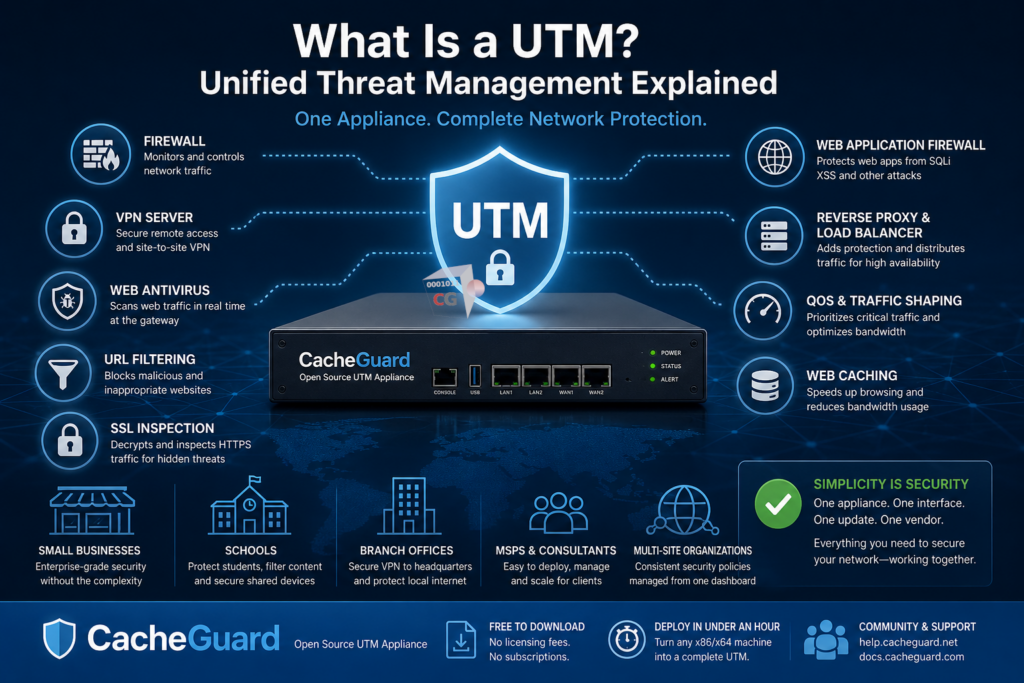
What Is a UTM?
A UTM, or Unified Threat Management appliance, is a network security solution that combines multiple security functions into a single, integrated system. Rather than deploying and managing separate tools for your firewall, VPN, antivirus, web filtering and other security needs, a UTM handles all of it together — from one interface, on one machine.
The term was coined in the early 2000s to describe a new generation of security appliances designed to simplify network protection for organizations that could not afford — or did not have the expertise to manage — a collection of individual security products.
Today UTM appliances are the standard approach to network security for startups, small and medium businesses, schools and branch offices worldwide.
What Is a UTM Made Of?
Understanding what is a UTM requires understanding what security functions it typically combines. A complete UTM appliance includes:
Firewall
The firewall is the foundation of any UTM. It monitors and controls all network traffic based on rules defined by the administrator — blocking unauthorized access and allowing legitimate traffic through. A UTM firewall operates at the network level, inspecting every packet that enters or leaves your network.
VPN Server
A VPN (Virtual Private Network) server allows remote employees to connect to your network securely over the internet. Rather than exposing your internal systems directly to the internet, VPN creates an encrypted tunnel that protects remote connections from interception.
Web Antivirus
A UTM includes gateway-level web antivirus that scans internet traffic in real time — before it reaches your users’ devices. Unlike endpoint antivirus that only protects individual machines, a UTM web antivirus protects every device on your network simultaneously by scanning traffic at the gateway.
URL Filtering
URL filtering controls which websites users on your network can access. It blocks known malicious websites, phishing sites and inappropriate content — protecting your users from threats they might not even be aware of.
SSL Inspection
Most internet traffic today is encrypted using HTTPS. While encryption protects legitimate data, it also hides malicious content from security tools that cannot see inside encrypted connections. SSL inspection — sometimes called SSL mediation — allows the UTM to decrypt, inspect and re-encrypt HTTPS traffic to catch threats that would otherwise go undetected.
Web Application Firewall
A WAF protects web applications — customer portals, APIs, online stores — from attacks like SQL injection, cross-site scripting and other threats targeting application layer vulnerabilities. Unlike a network firewall that controls access at the IP level, a WAF understands the content of web requests and blocks malicious ones before they reach your application.
Reverse Proxy and Load Balancer
A reverse proxy sits in front of your web servers, handling incoming requests on their behalf. It adds a layer of protection between the internet and your servers, and can distribute traffic across multiple servers for better performance and availability.
QoS and Traffic Shaping
Quality of Service controls ensure that critical business traffic — video calls, cloud applications, VoIP — always gets the bandwidth it needs. Traffic shaping allows administrators to prioritize important traffic and limit bandwidth for less critical applications.
Web Caching
Web caching stores frequently accessed content locally on the UTM appliance, serving it directly to users without fetching it again from the internet. This reduces bandwidth consumption and speeds up browsing for everyone on your network.
What Is a UTM vs a Traditional Firewall?
This is one of the most common points of confusion when people first encounter the term. Here is a clear comparison:
| Traditional Firewall | UTM Appliance | |
|---|---|---|
| Firewall | ✅ | ✅ |
| VPN | ❌ or limited | ✅ |
| Web antivirus | ❌ | ✅ |
| URL filtering | ❌ | ✅ |
| SSL inspection | ❌ | ✅ |
| WAF | ❌ | ✅ |
| Reverse proxy | ❌ | ✅ |
| QoS and caching | ❌ | ✅ |
| Management complexity | Low | Low to medium |
| Cost | Low | Low to high |
A traditional firewall controls who can connect to your network. A UTM does all of that and also controls what those connections can do — scanning content, filtering URLs, protecting web applications and securing remote access. A UTM is not a replacement for a firewall — it is a firewall plus a comprehensive security stack built around it.
What Is a UTM Good For?
A UTM appliance is particularly well suited for:
Startups and small businesses that need enterprise-grade protection but do not have a dedicated IT security team or the budget for multiple separate security products. A UTM gives them everything in one place, managed from a single interface.
Schools and educational institutions that need content filtering to protect students, web antivirus to secure shared devices, and VPN for staff remote access — all without a complex multi-product setup.
Branch offices that need to connect securely to a headquarters network via VPN while also protecting local internet traffic with antivirus and filtering.
MSPs and IT consultants who need a repeatable, easy-to-deploy security solution they can roll out quickly for multiple clients.
Multi-site organizations that need consistent security policies across multiple locations, ideally managed centrally from a single dashboard.
What Is a UTM’s Main Advantage?
The single most important advantage of a UTM over a collection of individual security products is simplicity. Instead of:
- Buying and licensing multiple products from multiple vendors
- Learning multiple interfaces and management consoles
- Keeping multiple products updated and compatible with each other
- Troubleshooting issues that span multiple systems
You have one appliance, one interface, one update cycle and one vendor to deal with. For an organization without a large IT team, this simplicity is not just convenient — it is what makes proper network security actually achievable.
What Is a UTM: Open Source vs Commercial
UTM appliances come in two broad categories:
Commercial UTMs — such as Sophos XGS, Fortinet FortiGate and Cisco Meraki — offer enterprise-grade features, vendor support and polished interfaces. They also come with significant costs: proprietary hardware, annual subscription licensing, and renewal fees that add up quickly. For large enterprises with dedicated security teams and substantial budgets, commercial UTMs are a natural choice.
Open source UTMs — such as CacheGuard, pfSense and OPNsense — offer the same core security features at zero licensing cost. They run on commodity hardware you already own, have no subscription fees, and give you full transparency into how the system works. For startups, small businesses and budget-conscious organizations, open source UTMs deliver enterprise-grade protection without the enterprise price tag.
The key difference between open source UTMs is depth of integration. pfSense and OPNsense require plugins and packages to reach full UTM feature parity. CacheGuard includes everything built in — firewall, IPsec VPN, web antivirus, URL filtering, SSL inspection, WAF, reverse proxy, load balancer, QoS and web caching — all working together out of the box with no plugins required.
What Is a UTM: CacheGuard in Practice
CacheGuard is a free, open-source UTM appliance that has been in development since 2002, representing over 5,000 man days of research and development. It is not an application you install on top of an existing operating system — it IS the operating system. A fully custom, network appliance oriented Linux distribution built from scratch and designed specifically to be a UTM.
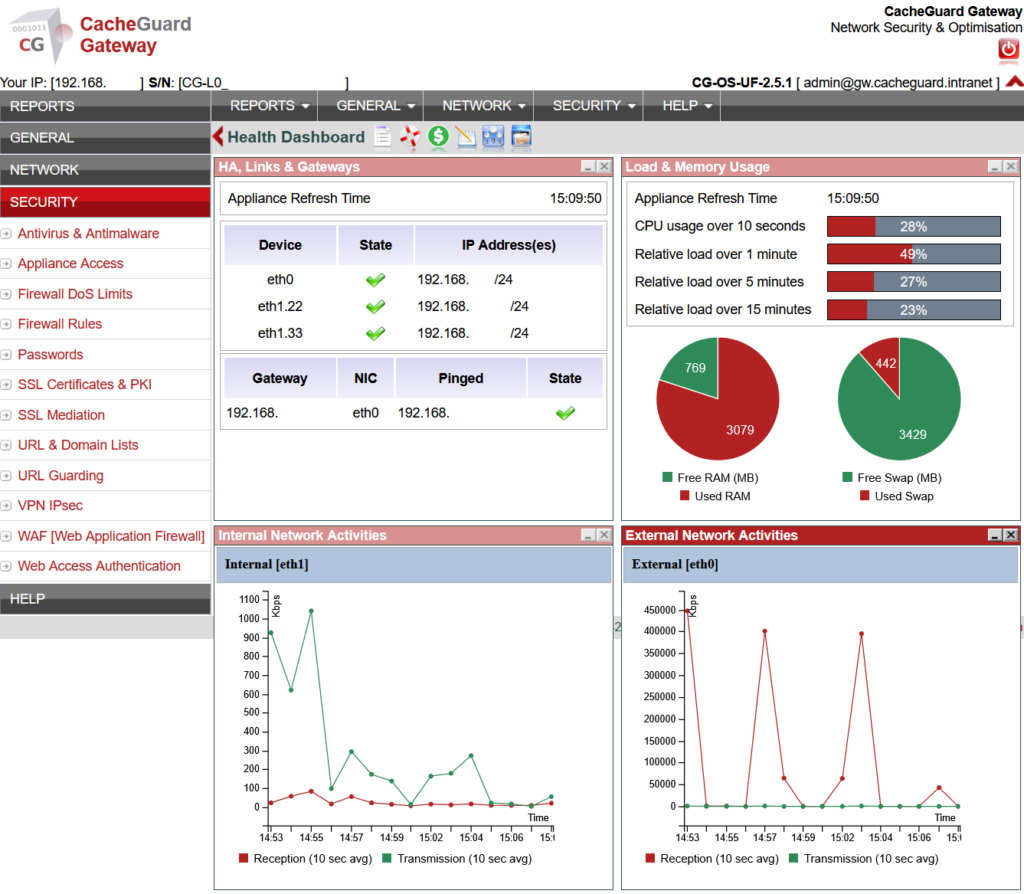
CacheGuard-OS turns any x86/x64 machine or virtual machine into a complete UTM appliance in under an hour:
- Stateful firewall with fine-grained traffic control
- IPsec VPN for secure remote access and site-to-site connectivity
- Gateway-level web antivirus powered by ClamAV
- Filtering web proxy with URL filtering capabilities
- SSL inspection — called SSL mediation in CacheGuard — for encrypted traffic scanning and HTTPS caching
- Web Application Firewall powered by ModSecurity and OWASP Core Rule Set
- Reverse proxy and load balancer
- Multi-WAN support with automatic failover
- QoS and traffic shaping
- Web caching to reduce bandwidth usage
- Centralized management via CacheGuard Manager for multi-site deployments
All features run simultaneously on the same machine with no plugins, no packages and no compatibility issues.
Conclusion
Now that you know what is a UTM, the next question is which one is right for your organization. If you need a complete, production-ready UTM that works out of the box — without licensing fees, subscription costs or specialist expertise to deploy — CacheGuard is the answer.
Download CacheGuard for free and have your UTM appliance up and running in under an hour.
Questions about deploying CacheGuard? Visit the community forum at help.cacheguard.net or browse the full documentation at CacheGuard Documentation.
