
Startup Network Security: How to Protect Your Business in Under an Hour
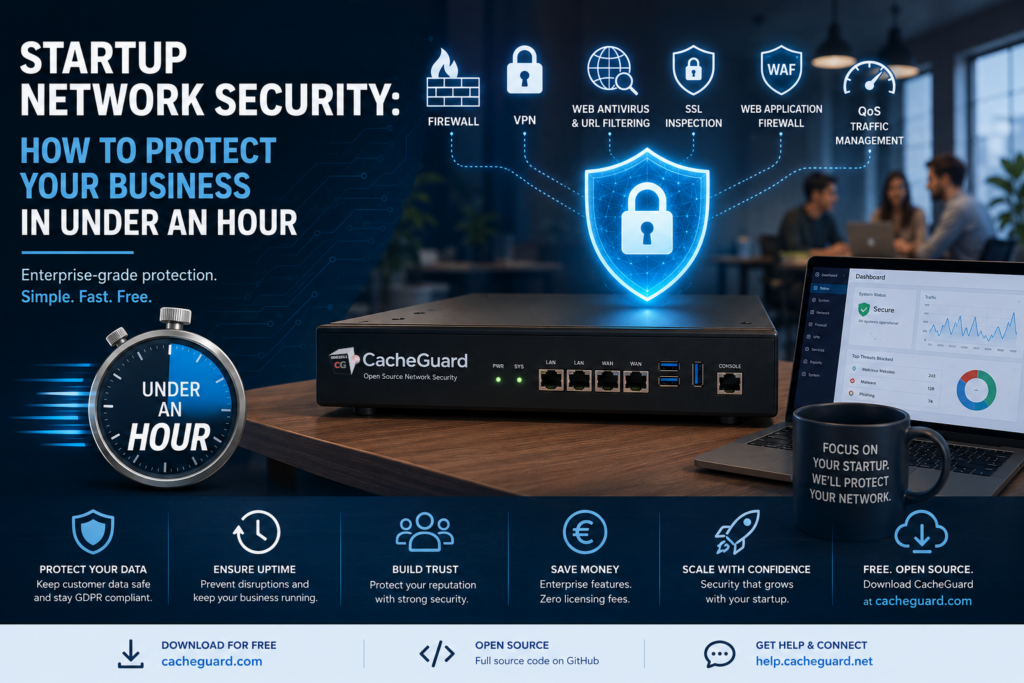
If you are running a startup, startup network security is probably not your top priority right now. You are focused on building your product, acquiring customers, and growing fast. But here is the truth: every day you operate without proper network security is a day you are taking an unnecessary risk with your business, your data, and your customers.
The good news is that securing your startup network does not have to take weeks or cost thousands of euros. With the right approach and the right tools, you can have solid protection in place in under an hour.
This guide walks you through exactly how to do it.
Why Startup Network Security Matters More Than You Think
Startup network security refers to the set of tools, policies and practices that protect your company’s network infrastructure from unauthorized access, malware, data breaches and cyberattacks.
Many founders assume that cybercriminals only target large enterprises. This is one of the most dangerous misconceptions in business today. Small and growing businesses are increasingly targeted precisely because they tend to have weaker defenses and less experienced security teams.
Here is what is at stake for your startup:
Customer data. From the moment you collect an email address, you are responsible for protecting personal data. A breach can destroy customer trust overnight and expose you to significant legal liability under GDPR and other regulations.
Business continuity. A successful cyberattack can take your systems offline for days or weeks. For a startup that depends on uptime, that kind of disruption can be fatal.
Reputation. In the early stages of a startup, trust is everything. A publicized security incident can set you back months in terms of customer and investor confidence.
Compliance. If you operate in Europe, GDPR requires you to have technical security measures in place from day one — not just when you scale.
Key Components of a Solid Startup Network Security Strategy
Good startup network security does not require a dedicated IT team or an enterprise budget. It does require covering a few fundamental areas consistently.
Startup network firewall: your first line of defense
A firewall is the foundation of any network security strategy. It monitors and controls incoming and outgoing network traffic based on rules you define, preventing unauthorized access to your systems. Without a firewall, your network is essentially open to the internet.
Secure remote access with a startup VPN
Most startups have remote employees or founders working from different locations. Without a VPN, those team members are connecting to your systems over public or home networks that you have no control over. A VPN creates an encrypted tunnel that keeps that traffic secure regardless of where your team is working from.
Web antivirus and URL filtering for startup networks
Malware does not always arrive via email. A large proportion of infections come through the web — malicious websites, drive-by downloads, compromised legitimate sites. A gateway-level web antivirus scans traffic before it reaches your devices, and URL filtering blocks access to known malicious or inappropriate websites entirely.
SSL inspection in startup network security
Most web traffic today is encrypted via HTTPS. While that is good for privacy, it also means that malware can hide inside encrypted traffic and bypass traditional security tools. SSL inspection allows your security appliance to decrypt, inspect and re-encrypt traffic to catch threats that would otherwise go undetected.
Web Application Firewall for startup web apps
If your startup runs any web applications — a customer portal, an API, an ecommerce site — a WAF is essential. It sits in front of your applications and blocks malicious requests including SQL injection, cross-site scripting and other common attack vectors before they reach your code.
Traffic management and QoS
Quality of Service controls ensure that critical business traffic — video calls, cloud applications, customer-facing services — always gets the bandwidth it needs. This is particularly important for startups with limited WAN capacity and remote teams making heavy use of video conferencing.
How to Implement Startup Network Security in Under an Hour
Here is a practical plan for implementing startup network security from scratch, designed to get you protected fast.
Step 1: Assess your startup network
Before deploying anything, spend 15 minutes mapping your network. How many users do you have? How many work remotely? Do you run any web applications or APIs? What devices connect to your network? This assessment will help you configure your security tools correctly from the start.
Step 2: Choose the right startup network security appliance
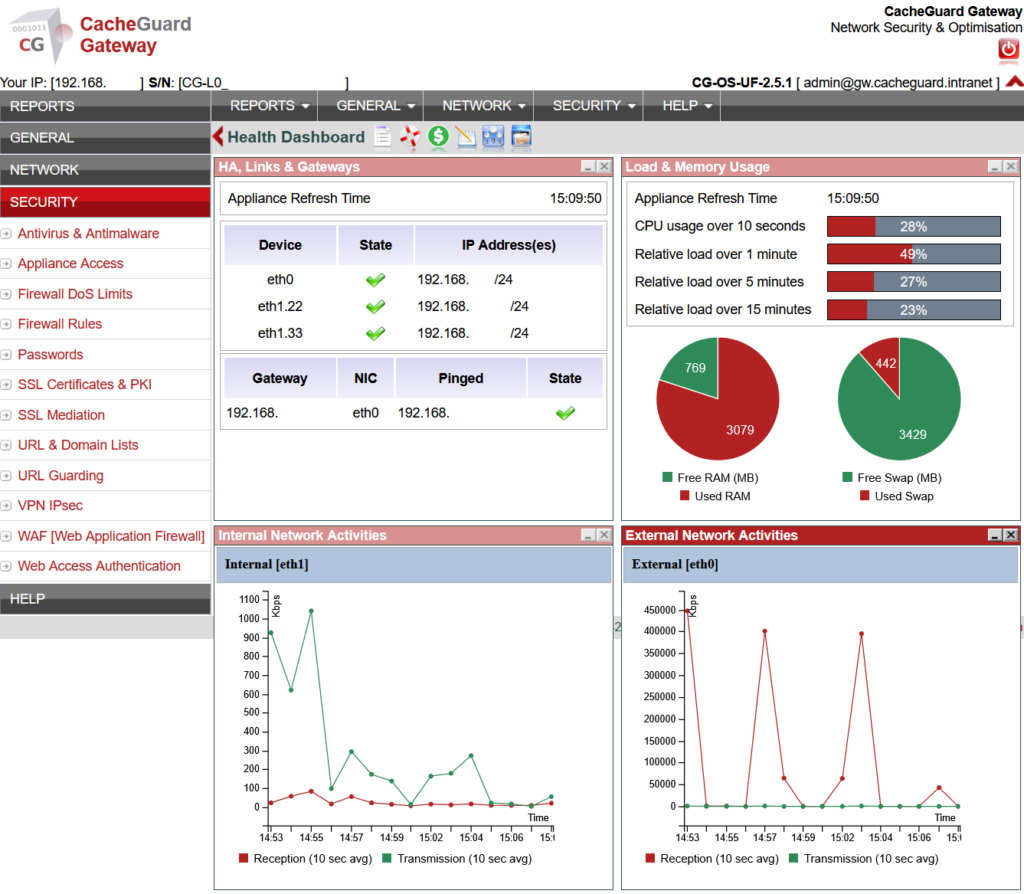
For most startups, the fastest and most cost-effective approach is a unified security appliance — a single solution that combines firewall, VPN, antivirus, URL filtering, WAF and traffic management in one place. This avoids the complexity and cost of managing multiple separate tools.
CacheGuard is a free, open-source network security appliance built specifically for startups and growing businesses. It combines all the components above into a single ISO that you install on any x86 machine or virtual machine.
Step 3: Install your network security appliance
With CacheGuard, installation is straightforward. Download the ISO from cacheguard.com, boot your machine or VM from it, and follow the installer. The process takes around 15 minutes and the system automatically optimizes itself based on your available hardware resources.
Step 4: Configure your basic network settings
Once installed, access the web interface and configure your basic network settings — your external interface connected to the internet and your internal interface connected to your local network. This is the only step that requires basic networking knowledge, and the documentation walks you through it clearly.
Step 5: Enable your startup network security features
Start with the essentials: activate the firewall and VPN first. Then enable web antivirus and URL filtering. If you run web applications, activate the WAF. Finally configure QoS to prioritize your critical traffic. Each feature can be enabled independently through the web interface without touching the others.
Step 6: Connect your team to the VPN
Once your VPN server is running, generate VPN profiles for each of your remote team members and distribute them. CacheGuard supports IPsec and generates ready-to-use configuration files for Windows, Mac, iOS and Android.
Step 7: Monitor and maintain your startup network
Good startup network security is not a one-time setup. Check your logs regularly, keep your appliance updated, and review your security rules as your team and infrastructure evolve. CacheGuard updates its antivirus signatures automatically so you are always protected against the latest threats.
How Much Does Startup Network Security Cost?
This is where many founders are surprised. Enterprise solutions like Sophos XG or Cisco Meraki can cost thousands of euros per year in licensing fees alone, on top of hardware costs and implementation fees. That is simply not realistic for most startups.
CacheGuard is completely free to use regardless of the number of users or the number of appliances you deploy. The full source code is open source and available on GitHub. Optional paid support plans are available for startups that need gIf you are running a startup, startup network security is probably not your top priority right now. You are focused on building your product, acquiring customers, and growing fast. But here is the truth: every day you operate without proper network security is a day you are taking an unnecessary risk with your business, your data, and your customers.
The good news is that securing your startup network does not have to take weeks or cost thousands of euros. With the right approach and the right tools, you can have solid protection in place in under an hour.
This guide walks you through exactly how to do it.If you are running a startup, startup network security is probably not your top priority right now. You are focused on building your product, acquiring customers, and growing fast. But here is the truth: every day you operate without proper network security is a day you are taking an unnecessary risk with your business, your data, and your customers.
The good news is that securing your startup network does not have to take weeks or cost thousands of euros. With the right approach and the right tools, you can have solid protection in place in under an hour.
This guide walks you through exactly how to do it.uaranteed response times and expert assistance — but the software itself costs nothing.
The only real cost is the hardware or VM you run it on, which can be as modest as a basic server or even a repurposed desktop machine with two network interfaces.
Startup Network Security Mistakes to Avoid
Even well-intentioned startups make these mistakes when approaching network security for the first time.
Waiting until you scale. Security is much easier and cheaper to implement from the start than to retrofit into an existing infrastructure. The time to secure your network is before your first breach, not after.
Relying on endpoint security alone. Antivirus software on individual laptops is not a substitute for network-level security. Endpoint tools only protect the device they are installed on — a network security appliance protects everything on your network simultaneously.
Ignoring remote workers. If your team works remotely without a VPN, your network perimeter effectively extends to every coffee shop and home router your employees connect from. That is an unacceptable risk for any startup handling sensitive data.
Using consumer-grade routers. The router your internet provider gave you was not designed for business security. It lacks the advanced filtering, VPN capabilities and traffic controls that proper startup network security requires.
Conclusion
Startup network security does not have to be complicated, expensive, or time-consuming. With a clear plan and the right tools, you can have enterprise-grade protection in place in under an hour — before your next team meeting.
The key is to start now, with the fundamentals, and build from there. A firewall, a VPN, web antivirus and a WAF will protect the vast majority of startups from the vast majority of threats. And with a free open-source solution like CacheGuard, there is no reason to wait.
Your customers, your data, and your reputation are worth protecting from day one.
Ready to get started? Download CacheGuard for free at cacheguard.com and have your startup network secured in under an hour. Questions? Join the community forum at help.cacheguard.net.